Every visual value in a Prime component comes from a design token. A token is a
named value in a preset, the theme object such as the built-in Aura, and each
one is written to the page as a CSS variable with a mechanical name: the dotted
path in kebab case after the --p- prefix. primary.color becomes
--p-primary-color. A camel-cased key in the object splits into segments, so
formField.paddingX is the token form.field.padding.x and the variable
--p-form-field-padding-x. The component CSS reads the variables and no raw
values, so changing a token changes every component that reads it, without
touching the component styles.
The examples apply to @primeuix/styled 1.1.0 and later with @primeuix/themes
3.0.2 and later. PrimeVue 5.0.3 and later, PrimeReact 11.2.1 and later, and
PrimeNG 22.1.3 and later install them. The CSS shown was produced by running the
examples against those packages.
Three layers
A preset is an object with three token sections: primitive, semantic and
components.
Primitive tokens are raw values with no meaning attached. In Aura the
section holds the border radius scale and 22 color scales, emerald, blue,
slate and the rest, each from 50 to 950:
primitive: {
    borderRadius: { none: '0', xs: '2px', sm: '4px', md: '6px', lg: '8px', xl: '12px' },
    emerald: { 50: '#ecfdf5', 100: '#d1fae5', /* ... */ 500: '#10b981', /* ... */ 950: '#022c22' },
    blue: { /* ... */ }
}
Nothing in this layer says what a color is for. emerald.500 is a color, not
“the primary color”.
Semantic tokens give the primitives a role. primary is the brand color
scale and its working colors, surface is the gray scale for backgrounds and
borders, text, content, overlay, navigation, list and formField
carry the values that groups of components share, and a handful of tokens apply
everywhere: focusRing, transitionDuration, disabledOpacity, iconSize,
anchorGutter and typography. A semantic token references a primitive:
semantic: {
    primary: {
        50: '{emerald.50}',
        /* ... */
        500: '{emerald.500}',
        /* ... */
        color: 'light-dark({primary.500}, {primary.400})',
        contrastColor: 'light-dark(#ffffff, {surface.900})',
        hoverColor: 'light-dark({primary.600}, {primary.300})',
        activeColor: 'light-dark({primary.700}, {primary.200})'
    },
    formField: {
        paddingX: '0.625rem',
        paddingY: '0.375rem',
        borderRadius: '{border.radius.md}',
        /* ... */
    }
}
formField shows why the layer exists. Every form component, InputText, Select,
Checkbox and DatePicker among them, reads its padding, radius, border and
background from form.field.*, so one change there moves all of them together.
Component tokens are the values one component reads. Each component has its own subtree, and Aura has 97 of them. They reference the semantic layer:
components: {
    button: {
        root: {
            borderRadius: '{form.field.border.radius}',
            paddingX: '{form.field.padding.x}',
            gap: '0.5rem',
            primary: {
                background: '{primary.color}',
                hoverBackground: '{primary.hover.color}',
                color: '{primary.contrast.color}'
            },
            /* secondary, info, success, warn, help, danger, contrast */
        },
        outlined: { /* ... */ },
        text: { /* ... */ },
        link: { /* ... */ }
    },
    card: {
        root: {
            background: '{content.background}',
            borderRadius: '{border.radius.xl}',
            color: '{content.color}'
        },
        body: { padding: '1.125rem', gap: '0.5rem' }
    }
}
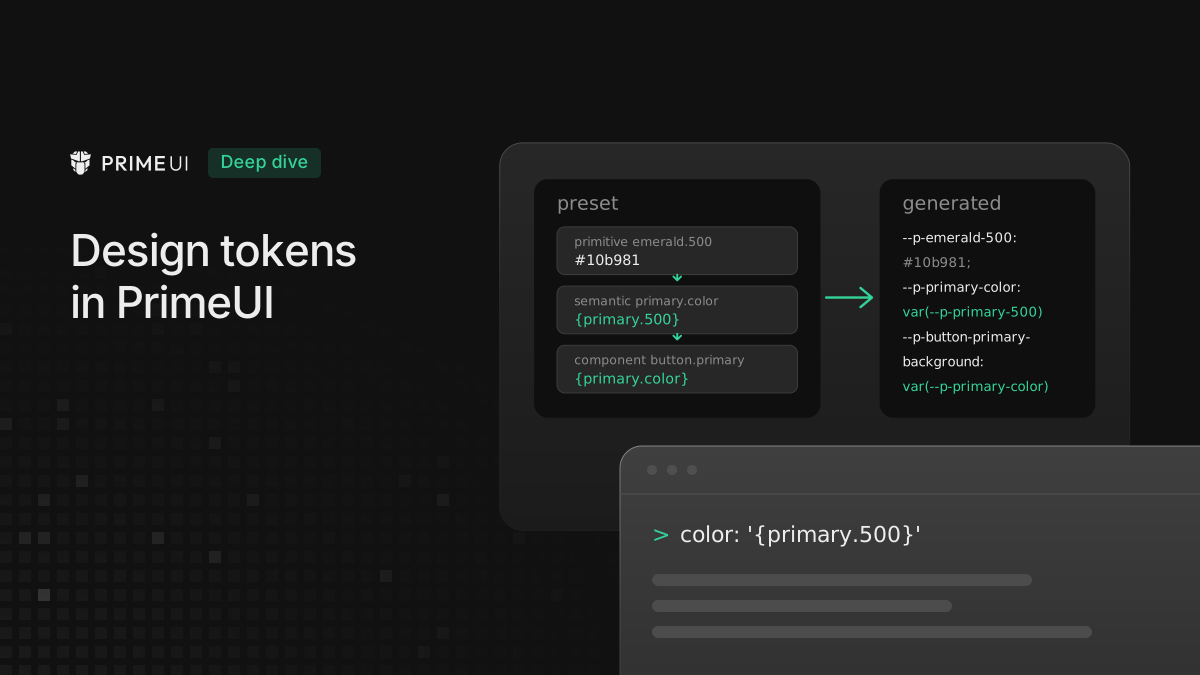
So the primary button’s background runs through a chain:
button.primary.background reads {primary.color}, which reads
{primary.500}, which reads {emerald.500}. In the page each link is its own
variable, and only --p-emerald-500 holds a literal value:
--p-emerald-500: #10b981;
--p-primary-500: var(--p-emerald-500);
--p-primary-color: light-dark(var(--p-primary-500), var(--p-primary-400));
--p-button-primary-background: var(--p-primary-color);
Which layer to change
Where a change goes depends on what it should affect:
- A different brand color across the whole app is a semantic change: point
primaryat another scale, and every component that readsprimary.*follows. The primitive scales stay as they are. - A color that the preset does not have is a primitive addition. Add the scale
under
primitive, then reference it from the semantic layer. A hex value written straight intosemantic.primary.colorworks, but it has no scale behind it, soprimary.50andprimary.600no longer match it. - One component that should look different is a component change. A button with
a larger radius is
components.button.root.borderRadius, and no other component moves. - A value that several components should share, but that no semantic token
covers yet, is a custom token under
extend, covered further down.
Avoid copying a value across layers. A component token set to #10b981 matches
the brand color today and keeps its copy when the brand color changes.
References and light-dark()
A reference is a dotted path in braces. It can point at any token in any layer,
and it is written to CSS as a var() reference to that token’s variable:
semantic: {
    formField: { borderRadius: '{border.radius.lg}' }
}
--p-form-field-border-radius: var(--p-border-radius-lg);A value that differs between light and dark mode is written with the CSS
light-dark() function, and references work inside it the same way:
primitive: {
    brand: { 400: '#4f8cff', 500: '#2f6fe6', 600: '#1f54b8' }
},
semantic: {
    primary: {
        color: 'light-dark({brand.500}, {brand.400})',
        hoverColor: 'light-dark({brand.600}, {brand.500})'
    }
}
--p-brand-400: #4f8cff;
--p-brand-500: #2f6fe6;
--p-brand-600: #1f54b8;
--p-primary-color: light-dark(var(--p-brand-500), var(--p-brand-400));
--p-primary-hover-color: light-dark(var(--p-brand-600), var(--p-brand-500));The theme does not split the pair into two rules. It writes one declaration, and
the browser picks the first or second value from the color-scheme of the
element. The theme sets that property from the darkModeSelector option. With
the default, the root is color-scheme: light and a
prefers-color-scheme: dark media query switches it to dark. With a class
such as .app-dark, the class sets color-scheme: dark and everything under it
flips. So one declaration covers both modes, and a token with the same value in
both modes does not use light-dark().
References also work inside other CSS functions. Aura’s highlight background mixes the primary color with transparency in dark mode:
highlight: {
    background: 'light-dark({primary.50}, color-mix(in srgb, {primary.400}, transparent 84%))'
}
--p-highlight-background: light-dark(var(--p-primary-50), color-mix(in srgb, var(--p-primary-400), transparent 84%));Because the output is a reference, a light-dark() pair built on {primary.*}
follows a later change to primary in both modes without being rewritten.
Custom tokens with extend
extend is the place for tokens the built-in tree does not have. It keeps them
apart from the built-in keys, and it is what the Theme Designer’s custom tokens
and the Figma kit’s Custom collection map to, both covered at the end. It exists
at the top level and inside each component:
import { definePreset } from '@primeuix/themes';
import Aura from '@primeuix/themes/aura';

const MyPreset = definePreset(Aura, {
    extend: {
        accent: {
            color: '{amber.500}',
            contrastColor: '#ffffff'
        }
    },
    components: {
        button: {
            extend: {
                accent: {
                    background: '{accent.color}'
                }
            }
        }
    }
});
A top-level token becomes a variable with the plain prefix, and a component token carries the component’s name, next to the built-in tokens of that component:
:root,
:host {
    --p-accent-color: var(--p-amber-500);
    --p-accent-contrast-color: #ffffff;
}

/* in the button's variable block */
--p-button-accent-background: var(--p-accent-color);
Custom tokens can reference each other and the built-in tree, and a built-in
token can reference them back. A new Button severity, a variant next to
primary, secondary and danger, needs a custom token and a CSS rule that
reads it. The rule goes under the css key.
CSS in the preset
A preset can carry CSS as well as tokens: a global block under css, and a
block per component under components.<name>.css. Inside, a token is read with
dt('path') written as text. The theme replaces each call with the variable
reference when it writes the component’s style, so the preset stays a plain
object:
const MyPreset = definePreset(Aura, {
    extend: {
        accent: { color: '{amber.500}', contrastColor: '#ffffff' }
    },
    components: {
        button: {
            extend: {
                accent: { background: '{accent.color}' }
            },
            css: `
.p-button-accent {
    background: dt('button.accent.background');
    color: dt('accent.contrast.color');
}
`
        }
    },
    css: `
.app-banner {
    background: dt('accent.color');
}
`
});
.p-button-accent {
background: var(--p-button-accent-background);
color: var(--p-accent-contrast-color);
}The css value can also be a function that receives dt and returns the
string, which is the form for template literals with conditions in them:
components: {
    button: {
        css: ({ dt }) => `
.p-button-accent {
    background: ${dt('button.accent.background')};
}
`
    }
}
Both forms produce the same CSS. The component block is written together with
that component’s styles, so it is loaded when the first instance of the
component mounts, inside the same cascade layer and with the same classPrefix
handling. The global block is written with the global styles.
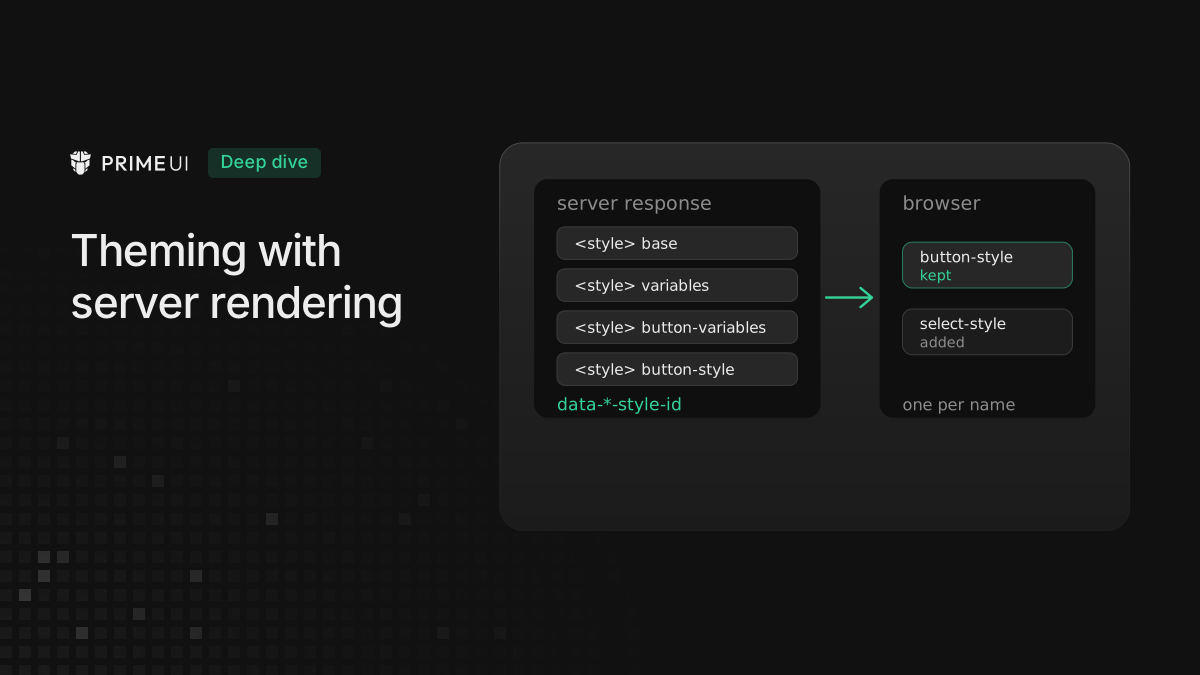
Server rendering is the one place this differs: PrimeVue 5.0.3 writes the rules
from css in the browser and leaves them out of the server response, while the
token variables are in it. The server-rendering setup is in
Theming with server rendering in PrimeVue, PrimeReact and PrimeNG.
dt and $dt
dt is also a real function, exported by @primeuix/themes and
@primeuix/styled, for CSS that an app builds in JavaScript. It takes the
dotted path and returns the variable reference, with or without braces:
import { dt, $dt } from '@primeuix/themes';

dt('primary.color'); // 'var(--p-primary-color)'
dt('{primary.color}'); // 'var(--p-primary-color)'
The second argument is a fallback, and it goes into the var():
dt('button.border.radius', '6px'); // 'var(--p-button-border-radius, 6px)'
dt('accent.color', dt('primary.color')); // 'var(--p-accent-color, var(--p-primary-color))'
The fallback matters for a custom token. The rule that reads accent.color
stays in the app, while the token exists only in the preset that defines it.
When the app switches to a preset without that token, the rule points at a
variable nobody declared. Without a fallback the declaration is invalid at
computed-value time and the property takes its initial or inherited value, which
for background is transparent and for color is the parent’s color, and
neither looks like an error. With a fallback the rule still has a known value. A
token the preset itself defines needs none.
The third argument asks for the resolved value instead of the reference, and
$dt returns name, reference and value together:
dt('primary.color', undefined, 'value'); // 'light-dark(#10b981,#34d399)'

$dt('accent.color');
// { name: '--p-accent-color', variable: 'var(--p-accent-color)', value: '#f59e0b' }
'value' follows the reference chain to the end and folds a light and dark pair
into one light-dark() string, so code that needs a single color still has to
pick the scheme. Stylesheets keep the reference. The value form is for code that
compares tokens or passes a color to something outside CSS.
The styled API in brief
@primeuix/styled is the package under the three libraries’ styled mode, the
mode where components get their CSS from a preset, and @primeuix/themes
re-exports its functions. The ones that touch tokens:
-
definePreset(base, overrides)merges the override tree into a base preset and returns a new one. Keys that are left out keep the base values, so a preset that changes onlyprimaryis a few lines. -
usePreset(preset)replaces the active preset entirely.updatePreset(overrides)merges into it at runtime, for a change that should not rebuild the theme from scratch. -
updatePrimaryPalette(scale)andupdateSurfacePalette(scale)are the shortcuts for the two scales most apps change. They merge at the stop level, so a partial scale keeps the stops it does not name. -
palette(color)builds a 50 to 950 scale. With a hex value it computes the tints and shades, with a reference it returns references:import { palette } from '@primeuix/themes'; palette('#2f6fe6'); // { 50: '#f5f8fe', 100: '#cddcf9', ..., 500: '#2f6fe6', ..., 950: '#0c1c3a' } palette('{blue}'); // { 50: '{blue.50}', 100: '{blue.100}', ..., 950: '{blue.950}' }The first form is for a brand color with no scale behind it; the second maps
primaryonto a built-in scale. -
mix(a, b, amount),shade(color, amount)andtint(color, amount)are the color helpers behindpalette, available for a preset that builds its own values:shade('#ff8400', 20)is#cc6a00,tint('#ff8400', 20)is#ff9d33. -
dt,$dtand thecsstagged template, covered above.
The theme options and the dt prop are not functions, but they also act on
tokens. The options, passed with the preset, decide how the variables are
written: prefix renames --p-, darkModeSelector chooses how dark mode is
switched, cssLayer wraps the output in a cascade layer, cssVariables: false
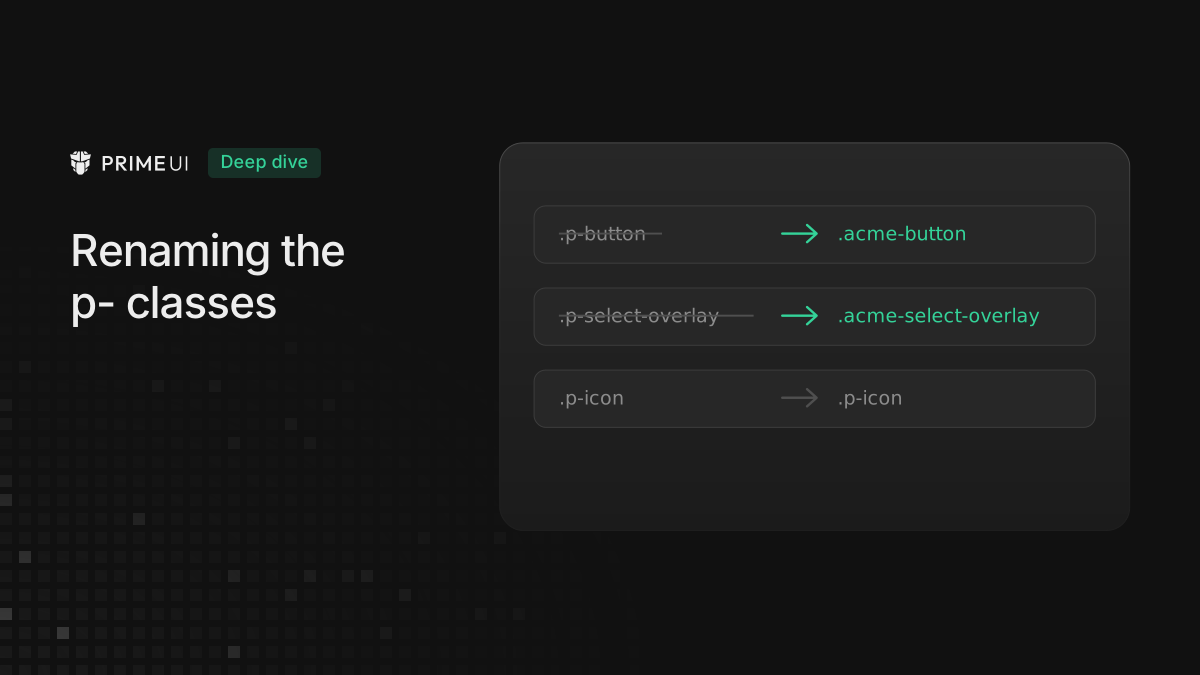
writes resolved values instead of var() references, and classPrefix renames
the p- classes. The dt prop on a component takes a token object rather than
a path and scopes the values to that instance:
<ToggleSwitch v-model="checked" :dt="{ root: { checkedBackground: '{amber.500}' } }" />The options are listed in each library’s styled mode guide, and the prop is documented there under scoped tokens.
Every preset also ships a compat variant, @primeuix/themes/aura-compat and so
on, with the same tokens calibrated for a 14px root font size. The standard
presets assume the browser default of 16px. The compat variants are for an
existing application that still runs on 14px and are maintained until June 2027.
The same tokens in Figma
The PrimeOne UI Kit for Figma is built on the same tree. Version 4.0 and later
keep the tokens in native Figma variables, and the current release is
5.0.0. The variable collections follow the
preset layers: Primitive, then Semantic Common and Semantic Color Scheme, then
Component Common and Component Color Scheme. A variable’s path is the token’s
path: primary/500 in the kit is primary.500 in the preset, and the
Semantic Common/form/field/padding/x variable is form.field.padding.x. The
Color Scheme collections hold the values that differ per mode, which is the
light-dark() pair on the code side.
Two collections sit outside the tree. App is for values that belong to the
application rather than the design system, such as a page’s font size. Custom is
for new variables, and it is the one the code side reads as custom tokens: a
variable in Custom lands in the theme the way an extend token does. Changing
or deleting variables in the default collections puts the kit out of step with
the library variables.
The PrimeUI Theme Generator plugin moves the variables to code. It exports the
selected collections and modes as a JSON token file. References stay references,
and a color variable with its own opacity becomes a color-mix() expression.
With the secret key from a Theme Designer account it also generates the preset
files, and it can push tokens or theme files to a GitHub, GitLab or Bitbucket
repository.
The Theme Designer is the editor in each library’s showcase. A theme starts from
a built-in preset or from the plugin’s export through Import Figma Variables,
and the editor shows one section per layer, with the component tokens on the
page of each component. Typing { at the start of a value opens autocompletion
over the token names. Custom tokens are added by dotted name, for example
accent.color with #eab308 or {yellow.50}. When a newer library version
adds tokens, the migration assistant adds them to the theme. The generated theme
is a preset object like the ones above.
Component mapping is a separate step from token mapping: the plugin and the Designer carry values, while Code Connect tells Figma which component in the kit is which component in the code.
Reference
The theming guide of each library has the full token list per component and the
option reference: PrimeVue,
PrimeReact and
PrimeNG. Each component’s token type can
be imported, for example @primeuix/themes/types/button for Button, and typing
a preset with it gives autocompletion in the editor. How the same preset is
wired into Vue, React and Angular is in
Theming across PrimeVue, PrimeReact and PrimeNG,
and what changed in the packages themselves is in
PrimeUIX styled 1.1.0 and themes 3.0.2.