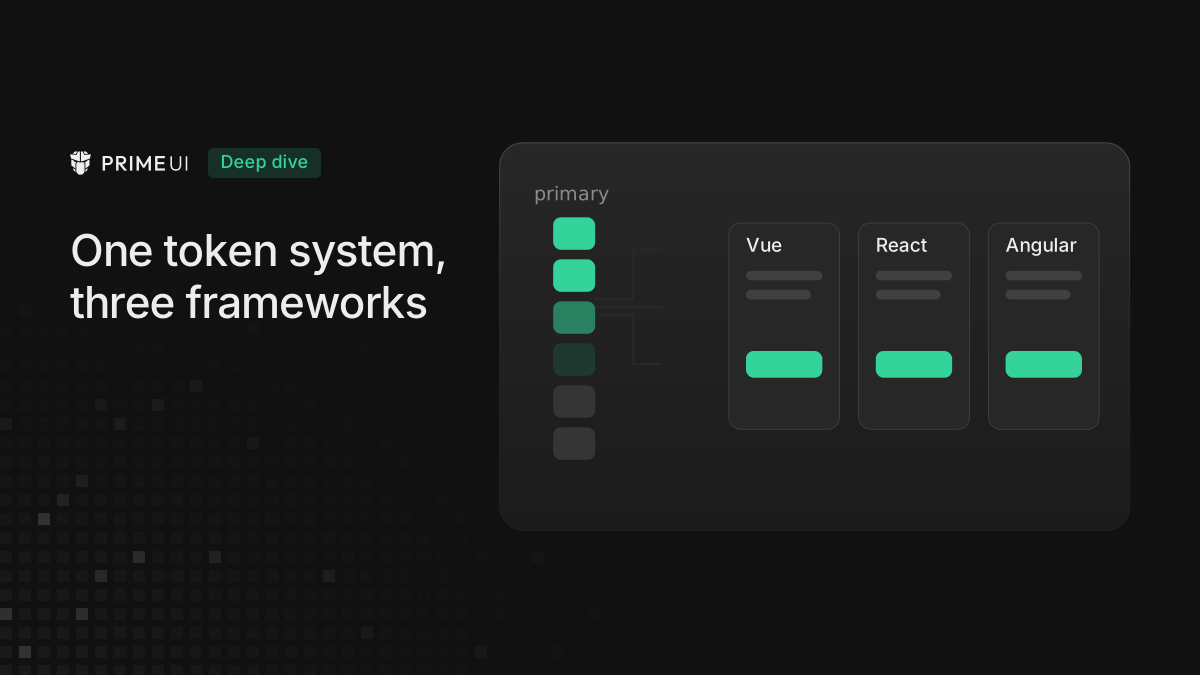
The three libraries ship Vue, React and Angular components, but they share one
theming layer, the @primeuix/styled engine, wrapped by the presets in
@primeuix/themes.
The design team works in a single Figma file that is the source of truth, and the same design tokens come out of it for all three libraries. So theming any one of them works the same way as theming the others, and the only thing that changes is the setup call at the start.
Presets
A preset is a complete set of design tokens. Aura, Lara, Nora and Material all
ship in @primeuix/themes, and there is rarely a reason to write one from
scratch, so pick the one closest to the target design and adjust it from there.
definePreset takes an existing preset and deep-merges the overrides on top of
it:
import { definePreset } from '@primeuix/themes';
import Aura from '@primeuix/themes/aura';

const MyPreset = definePreset(Aura, {
    semantic: {
        primary: {
            50: '{indigo.50}',
            100: '{indigo.100}',
            200: '{indigo.200}',
            300: '{indigo.300}',
            400: '{indigo.400}',
            500: '{indigo.500}',
            600: '{indigo.600}',
            700: '{indigo.700}',
            800: '{indigo.800}',
            900: '{indigo.900}',
            950: '{indigo.950}'
        }
    }
});
Changing the primary color is the customization most people do first. Aura’s
primary maps to emerald by default and the code above points it at indigo
instead, and every component that reads the primary color follows along:
buttons, checkboxes, focus rings.
Nothing has been applied to the page yet. definePreset returns a merged token
tree and leaves the running theme alone, so assign the result to a variable and
hand that variable to the setup call.
Eleven lines to name one color ramp is a lot of typing. palette expands a
single value into the full 50 to 950 scale:
import { definePreset, palette } from '@primeuix/themes';

const MyPreset = definePreset(Aura, {
    semantic: {
        primary: palette('{indigo}')
    }
});
Given a token path, palette emits references, one per stop. Given a hex color
it does the color math instead: the stops below 500 are tints of the color
passed in, the stops above it are shades, and 500 is the color itself. One brand
hex is enough for a usable ramp.
The {indigo.500} syntax is a token reference, not a hex value. It points at a
primitive that is already defined somewhere else, and when that primitive
changes later, everything pointing at it moves with it.
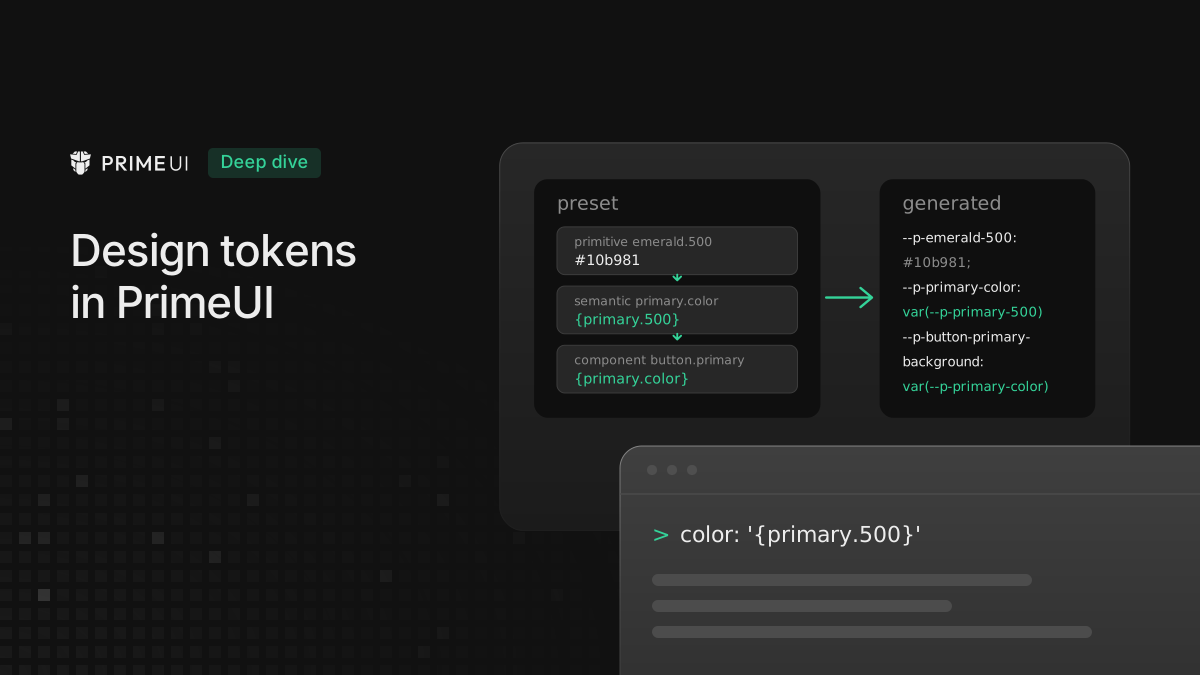
Three layers of tokens
Primitive tokens are raw values: the full color ramps (indigo, emerald,
slate, and so on), border radii. On their own they do not mean anything, they
are just colors and numbers with names.
Semantic tokens give those values a job. primary is the main color,
surface is the background ramp, formField controls input styling, content
covers panel bodies and text covers copy. This is the layer edited most often,
because changing primary here changes everything that depends on primary in
one go.
Component tokens sit on top, one group per component, and they mostly point
back at the semantic layer rather than at raw values. Button’s radius is
{form.field.border.radius} and its focus ring is {focus.ring.width}. Because
of that indirection, one edit in the semantic layer reaches the whole suite.
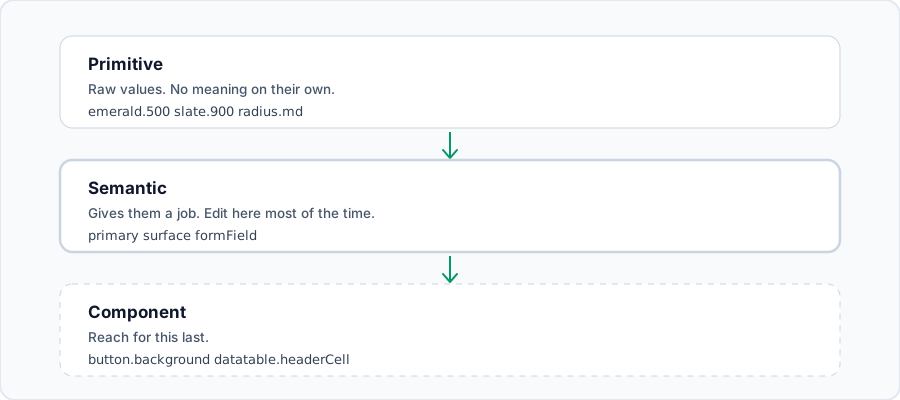
Go to the component layer last. Overriding twenty components in the same way is a sign that the edit belongs in the semantic layer instead.
primary.color and the tokens next to the stops
A color ramp under semantic.primary is only half of what primary means. Aura
defines four more tokens next to the stops:
primary: {
    // 50 to 950 stops
    color: 'light-dark({primary.500}, {primary.400})',
    contrastColor: 'light-dark(#ffffff, {surface.900})',
    hoverColor: 'light-dark({primary.600}, {primary.300})',
    activeColor: 'light-dark({primary.700}, {primary.200})'
}
Components read these four rather than the stops underneath them. In Aura,
twenty five component token files reference {primary.color} and only two
reference {primary.500}. Checkbox, for example, sets
checkedBackground: '{primary.color}' and
checkedHoverBackground: '{primary.hover.color}'.
Swapping the ramp is still usually enough, since color and the three next to
it are defined in terms of the stops and follow them. But to get a primary that
is darker in light mode than 500, edit primary.color and leave the ramp
alone.
Surfaces and dark mode
Surface tokens are the greys: page backgrounds, card backgrounds, borders. They
change between light and dark, and light-dark() is how both modes go into one
declaration. Aura writes them like this:
const MyPreset = definePreset(Aura, {
    semantic: {
        surface: {
            0: '#ffffff',
            50: 'light-dark({stone.50}, {zinc.50})',
            100: 'light-dark({stone.100}, {zinc.100})',
            200: 'light-dark({stone.200}, {zinc.200})',
            300: 'light-dark({stone.300}, {zinc.300})',
            400: 'light-dark({stone.400}, {zinc.400})',
            500: 'light-dark({stone.500}, {zinc.500})',
            600: 'light-dark({stone.600}, {zinc.600})',
            700: 'light-dark({stone.700}, {zinc.700})',
            800: 'light-dark({stone.800}, {zinc.800})',
            900: 'light-dark({stone.900}, {zinc.900})',
            950: 'light-dark({stone.950}, {zinc.950})'
        }
    }
});
There is no second stylesheet for dark mode anywhere in this. Aura’s own default
is slate for light and zinc for dark, and the block above keeps the dark
half and swaps the light half to stone, which is a warmer neutral.
The shipped themes also use a second way of writing the same thing: a
colorScheme block that splits the tree into a light half and a dark half.
semantic: {
    colorScheme: {
        light: {
            primary: { color: '{primary.950}', contrastColor: '#ffffff' }
        },
        dark: {
            primary: { color: '{primary.50}', contrastColor: '{primary.950}' }
        }
    }
}
Both forms end up as the same generated CSS. Use light-dark() when the two
values are the same token at two different stops, and colorScheme when the two
halves really do diverge, which happens often enough with primary.color,
highlight and anything to do with contrast. Watch the nesting as well:
colorScheme needs a light or a dark key under it, and a block written
directly under colorScheme is treated as scheme independent instead.
The dark mode switch
By default the libraries follow the operating system setting. For an app with its own toggle in the UI, tell the theme which selector to watch:
options: {
    darkModeSelector: '.my-app-dark';
}
Then flipping it is one line:
document.documentElement.classList.toggle('my-app-dark');That option emits only a few lines of CSS. With the default, system, the
output is this:
:root,
:host {
    color-scheme: light;
}
@media (prefers-color-scheme: dark) {
    :root,
    :host {
        color-scheme: dark;
    }
}
With darkModeSelector: '.my-app-dark' the media query is replaced by a class
rule:
:root,
:host {
    color-scheme: light;
}
.my-app-dark {
    color-scheme: dark;
}
The option sets the CSS color-scheme property and does nothing else. Every
token value stays a single light-dark(...) declaration and the browser picks
the branch it needs, so there is no duplicated dark block to fight with and no
specificity contest between a light rule and a dark one. A rule inside a shadow
root cannot see the class on <html>, so for components in shadow DOM the
libraries mirror the switch onto the shadow host. How that works is in
Using PrimeUI components inside a shadow root.
To keep dark mode on permanently, put the class on <html> and leave it there.
Setting darkModeSelector to 'none' turns it off, and only the light
color-scheme declaration is emitted.
Setting it up
This is the only part that differs per framework. The preset and the options are the same object in all three, and what changes is the function that receives it.
PrimeVue:
import PrimeVue from 'primevue/config';

app.use(PrimeVue, {
    theme: {
        preset: MyPreset,
        options: {
            darkModeSelector: '.my-app-dark'
        }
    }
});
PrimeReact:
import { PrimeReactProvider } from '@primereact/core';

<PrimeReactProvider theme={{ preset: MyPreset, options: { darkModeSelector: '.my-app-dark' } }}>{children}</PrimeReactProvider>;
PrimeNG:
import { providePrimeNG } from 'primeng/config';

providers: [
    providePrimeNG({
        theme: {
            preset: MyPreset,
            options: { darkModeSelector: '.my-app-dark' }
        }
    })
];
There is one wrinkle in the imports. The PrimeReact provider lives in
@primereact/core rather than in the primereact package itself, while
PrimeVue and PrimeNG both expose theming from a config subpath of the main
package. The theme object is identical in all three. None of them re-export
the preset helpers either, so definePreset and the rest come from
@primeuix/themes whatever the framework.
A team running Vue on one product and Angular on another writes the brand preset once and uses the same file in both.
Changing colors at runtime
Sometimes the theme has to change after the app has started, for a user preference or a white-label deployment. There are helpers for that:
import { updatePreset, updatePrimaryPalette, updateSurfacePalette, palette } from '@primeuix/themes';

updatePrimaryPalette(palette('{green}'));
All of them apply immediately, with no reload. They mutate the shared theme singleton, rebuild the token map and emit a change event that the libraries listen for.
They do not all change the theme in the same way, though.
updatePreset merges. Only the paths in the argument change and everything
else is preserved, so it is the safe one for a partial edit:
updatePreset({
    semantic: { primary: { color: '{amber.500}' } },
    components: { button: { root: { paddingX: '1.25rem' } } }
});
updatePrimaryPalette and updateSurfacePalette merge at the stop level in the
same way. Call updatePrimaryPalette({ 500: '{indigo.500}' }) on Aura and the
result is a primary whose 500 is indigo while 600 and every other stop are
still emerald, which is rarely a usable ramp. To change the primary color, pass
the whole scale, which palette builds from one color or one token reference.
To nudge a single value, either call works.
usePreset replaces the active preset entirely rather than merging into it.
Tokens that are absent from the argument are gone rather than inherited, so use
it for switching from Aura to Nora and not for tweaking a few values.
Options beyond dark mode
The options object carries four more settings, and they all decide how the
theme meets the rest of the app’s CSS.
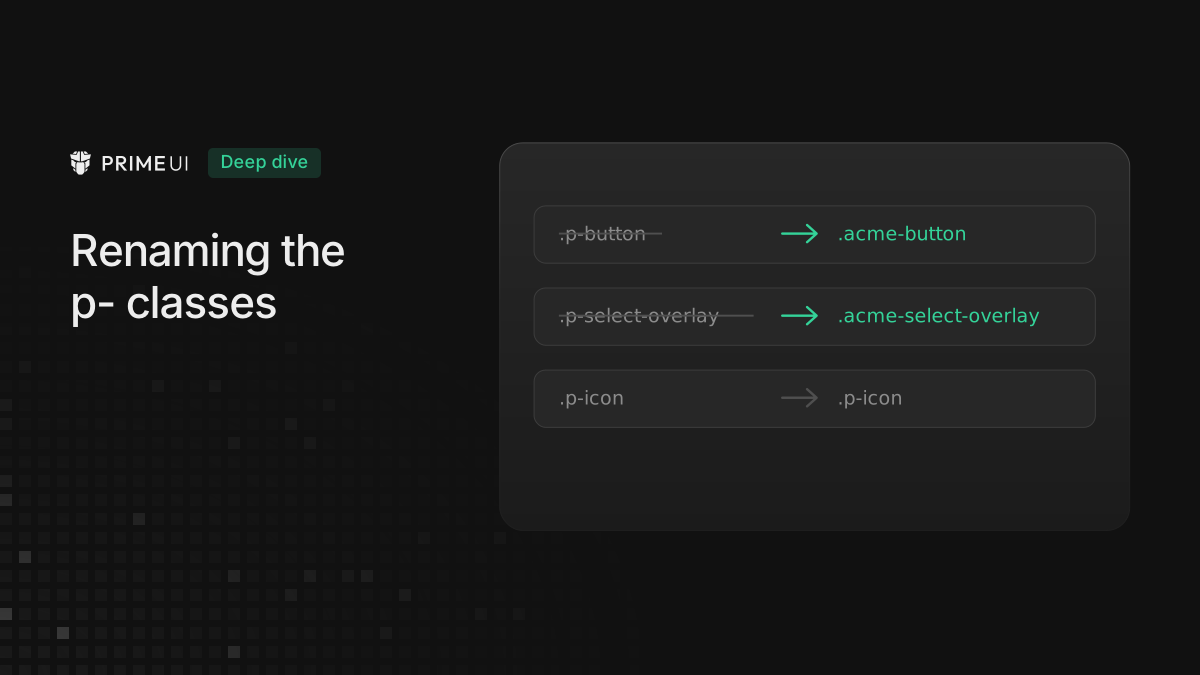
prefix renames every generated variable. The default is p, which is where
--p-primary-color and --p-surface-100 come from. Change it if those names
would collide with something the app already ships.
cssLayer puts the whole theme inside an @layer. It is false by default, so
theme rules land in the unlayered cascade and beat anything written inside a
layer. Set it to true and the styles go into a layer named primeui. Pass an
object instead to choose the layer name and declare its order relative to the
app’s own layers:
options: {
    cssLayer: {
        name: 'primeui',
        order: 'theme, base, primeui, utilities'
    }
}
Try this setting before reaching for !important. When overrides written for
the app are losing to component styles, declaring a layer order usually fixes it
without raising specificity.
cssVariables decides whether tokens become CSS custom properties at all. Left
at true, a token resolves to var(--p-a-b). Set to false, component
variables are not emitted and tokens resolve to their literal values, with the
light and dark variants folded into light-dark(...) automatically. scoped
moves component variables off :root,:host and onto each component’s own
selector, while primitive and semantic tokens stay global either way, which is
what a page with two differently themed regions needs.
Reading tokens from the app’s own CSS
The generated variables are a public surface, so the app’s own components can
read them and stay in step with the theme as it changes. --p-primary-color,
--p-surface-100, --p-text-muted-color and the rest are all there.
The naming rule is mechanical: take the token path, kebab-case it, join it with
dashes and put the prefix in front. semantic.formField.paddingX becomes
--p-form-field-padding-x. Structural keys carry no segment of their own, so
colorScheme, light, dark and root disappear from the name, and
colorScheme.light.surface.100 and surface.100 both produce
--p-surface-100.
The names do not have to be assembled by hand. dt returns the reference and
$dt returns the whole record:
import { dt, $dt } from '@primeuix/themes';

dt('primary.color'); // 'var(--p-primary-color)'
$dt('primary.color'); // { name, variable, value }
$dt(...).value resolves the reference chain all the way down, so on stock Aura
it returns light-dark(#10b981,#34d399) rather than another var(). The
fallback argument of dt, custom tokens under extend, and how the same tokens
reach the Figma kit are covered in
Design tokens in PrimeUI.
A reasonable order of operations
Start from a preset that is close to the intended look. Aura is the current house style, and Material and Nora are there for a different feel.
- Change
primaryfirst, because it is one edit and it moves the most. - Then surfaces, if the greys feel too warm or too cool for the brand.
- Then
colorScheme.lightandcolorScheme.dark, for the handful of tokens where the two modes need different values rather than two stops of one ramp. - Component-level tokens last, and only for genuine one-offs.
Steps 1 and 2 are often enough.