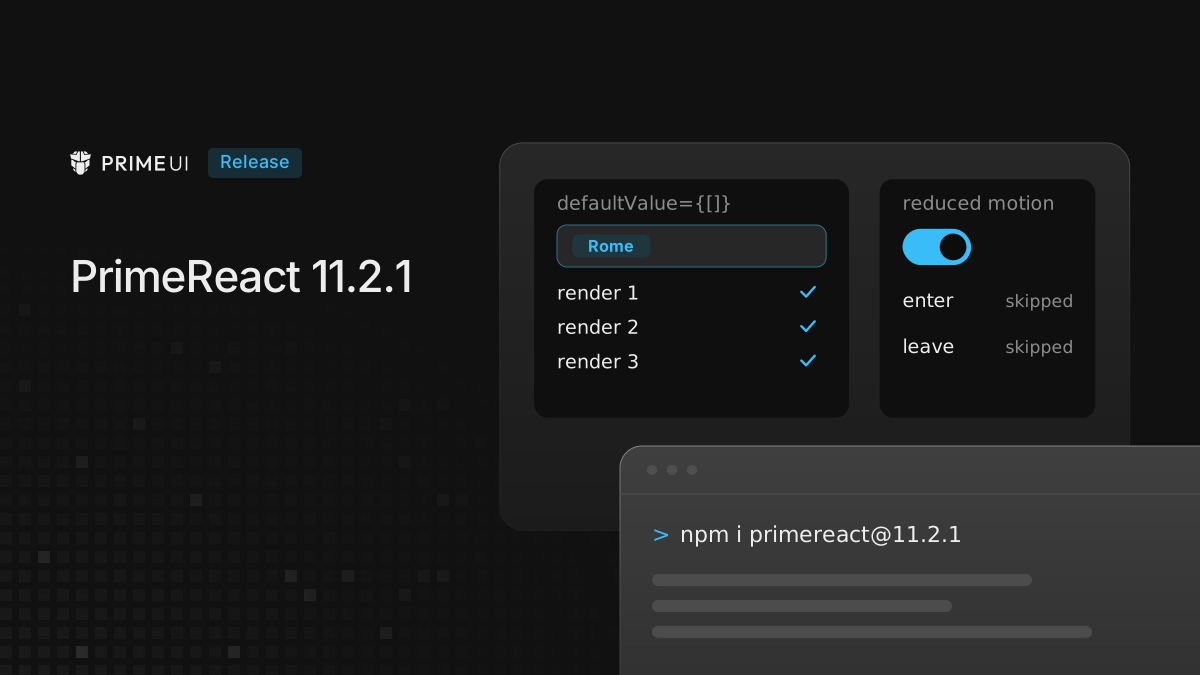
PrimeReact 11.2.1 is out. Most of it comes from the first audit of Select, and two of the fixes are in shared code, so they reach further than Select: a state hook that every uncontrolled component goes through, and the default for reduced motion.
npm install [email protected] @primereact/[email protected]It still needs React 19. Nothing in the API was removed, but three changes are visible in a running app, and the Upgrading section lists them.
What the audit found in Select
The audit gives each component a score out of 100 across seven areas, and every deduction comes with the finding behind it. Select in PrimeReact scored 45. Several findings showed up with default props, on the first try, and three of them lost data the user had entered. This release fixes two of those three. The third is not fixed: clicking the option that is already selected clears the listbox’s copy of the value while the Select keeps its own, so the trigger still shows the old label and no change event fires. That one needs a decision about what a second click should mean, and it is still open.
The test suite had 173 tests, with 95.65% line coverage and 87.5% branch coverage. Eight behaviors were removed from Select one at a time, with the suite run after each. Three of the removals passed every test: the focus going back to the trigger after a selection, the clear button syncing the listbox model, and the popup width matching the trigger on open. The 87.5% branch figure is where they showed up: each one is a decision the suite only ever took one way. This release adds tests for all three.
The re-score on 11.2.1 has not run yet, and its result will be published here in the same form.
An unrelated render could throw away a selection
This one affects every uncontrolled component.
Write defaultValue inline, which is the natural way to write it:
<Select.Root options={cities} optionLabel="name" optionValue="code" multiple defaultValue={[]}>Pick a city, then let anything else on the page re-render the parent. The selection was gone.
The cause was in useControlledState, the hook behind every component that can
be controlled or uncontrolled. It copied defaultValue into state in an effect
that depended on defaultValue. An inline [] is a new array on every render,
so every parent render ran the effect again and overwrote what the user had
picked with the default. A stable reference, such as a constant declared outside
the component, did not show the problem.
The hook now reads defaultValue once, when the component mounts, which is how
defaultValue works on a native input. Listbox, Popover and the other
components on the same hook get the same fix.
Select fixes
Disabled and readonly. A disabled Select could still be cleared with the
mouse: the clear button had tabIndex={-1}, which closed the keyboard path and
left the click path open. The handler checks for disabled now. Select also
gets readOnly, which keeps the component focusable but stops the popup from
opening and the value from changing through any input:
<Select.Root options={cities} optionLabel="name" optionValue="code" defaultValue="RM" readOnly>AutoComplete and Listbox take the same prop.
Labels. Clicking a <label htmlFor> associated with the Select did nothing.
The listener was registered, but the focus() it called read the anchor element
from the render where the listener was created, when the anchor was still
null. It now reaches the live element, and the listener moves to the new label
when inputId changes. The clear button’s aria-label was hardcoded English
and now comes from the locale.
Keyboard.
primefaces/primereact#7621,
from the old repository: pressing Enter to confirm an IME composition in the
filter acted as a normal Enter. Keys are ignored while a composition is active.
closeOnEscape={false} only reached the document listener, so Escape on the
focused trigger still closed the popup. The trigger’s own Escape handling checks
it now.
Positioning. Select.Positioner accepted baseZIndex, autoZIndex,
strategy, boundary and onPlacementChange in its types and dropped them on
the way to the positioner underneath. They are passed through, which covers the
manually stacked container case tracked as
primefaces/primevue#4300
on the Vue side.
A few smaller ones:
aria-multiselectablesat on the combobox, where the role does not allow it. It is on the listbox now.- The selected value stayed left-aligned in right-to-left layouts.
- Animation frames kept running after the component unmounted.
- Two refs were written during render, in
useSelectand inSelectValue. React does not guarantee that a render commits, so a value written there can belong to a render that was thrown away. Both are derived or handled outside render now. arrowPropswidened tostringwhere every sibling getter kept its literal types.- The packages re-exported
@primereact/typeswithout declaring it as a dependency, which strict package managers do not allow.
Reduced motion is respected by default
The Select audit noticed that its popup animated regardless of the user’s reduced-motion preference. The animation was not defined in Select. It came from a shared motion preset, and the reduced-motion check existed but was off by default.
It is on by default now, for every component that animates through the shared
motion layer. When the operating system asks for reduced motion, enter and leave
animations are skipped, and the lifecycle callbacks still run in order, so code
waiting for an onAfterEnter keeps working.
The dt prop
Scoped tokens passed through dt had no effect. The generated rule targeted
[pc_x] while components render their instance id as data-id="pc_x", so the
rule was in the page and matched nothing:
<ToggleSwitch.Root defaultChecked dt={{ root: { checkedBackground: '{amber.500}' } }}>
    <ToggleSwitch.Control>
        <ToggleSwitch.Handle />
    </ToggleSwitch.Control>
</ToggleSwitch.Root>
This switch now turns amber when checked. Where code already passes dt, those
values start applying after the upgrade.
Providers
ThemeProvider built a new context value on every render, so every consumer
rendered again and reloaded its styles even when the theme had not changed.
LocaleProvider rendered the whole tree a second time after mount. With 2,000
Buttons under PrimeReactProvider, that second render took about 114 ms in
Chromium. The theme context now stays the same while the preset and options are
equal, and the locale provider renders again only when the language or its
messages change.
A related ordering fix: PrimeReactProvider registered the license key in an
effect, and effects run children first. PrimeUI Pro components checked the
license on mount, found nothing, and showed the license notice even with a valid
key. The key is registered during render now.
Isolated mode, shadow roots and classPrefix
These three rely on @primeuix/styled 1.1.0 and @primeuix/utils 0.8.3. 11.2.1
requires both, and the
PrimeUIX styled 1.1.0 post
covers that layer. Each of the three also has a post of its own.
Isolated mode gives an app its own theme, for pages that host more than one
app. In the default mode those apps share one theme, and whichever loads last
sets it for all of them. Pass withIsolation to the provider, which reads it
once on mount:
import Aura from '@primeuix/themes/aura';
import { PrimeReactProvider } from '@primereact/core';
import { withIsolation } from '@primereact/core/isolation';
import { App } from './App';

const isolation = withIsolation({ key: 'shop' });

export function Root() {
    return (
        <PrimeReactProvider theme={{ preset: Aura }} isolation={isolation}>
            <App />
        </PrimeReactProvider>
    );
}
It is experimental, and the API may still change. The rest is in Running two PrimeUI apps on one page.
Shadow roots. A tree mounted inside a shadow root used to render without
component styles. withShadowRoot() on the outermost provider copies the page
styles into the roots the components render in, and outside-click and focus
checks now read the real target instead of the shadow host. One limit to know
about: popup parts are portals into document.body, so a popup always leaves
the shadow root. It is styled and it closes correctly, but it is not inside the
component. More in
Using PrimeUI components inside a shadow root.
classPrefix renames the p- component classes in the CSS and the markup:
<PrimeReactProvider theme={{ preset: Aura, options: { classPrefix: 'my' } }}>What keeps its name is covered in Renaming the p- classes with classPrefix.
Upgrading
npm install [email protected] @primereact/[email protected]Three things can look different afterwards:
- Changing
defaultValueafter mount no longer resets the component to it. Usevaluefor a controlled component, or change itskeyto remount it. - Users with reduced motion enabled no longer see enter and leave animations. Visual tests that run with that setting will see components appear without them.
- Any
dtalready passed starts to apply.
The full list is in the changelog.