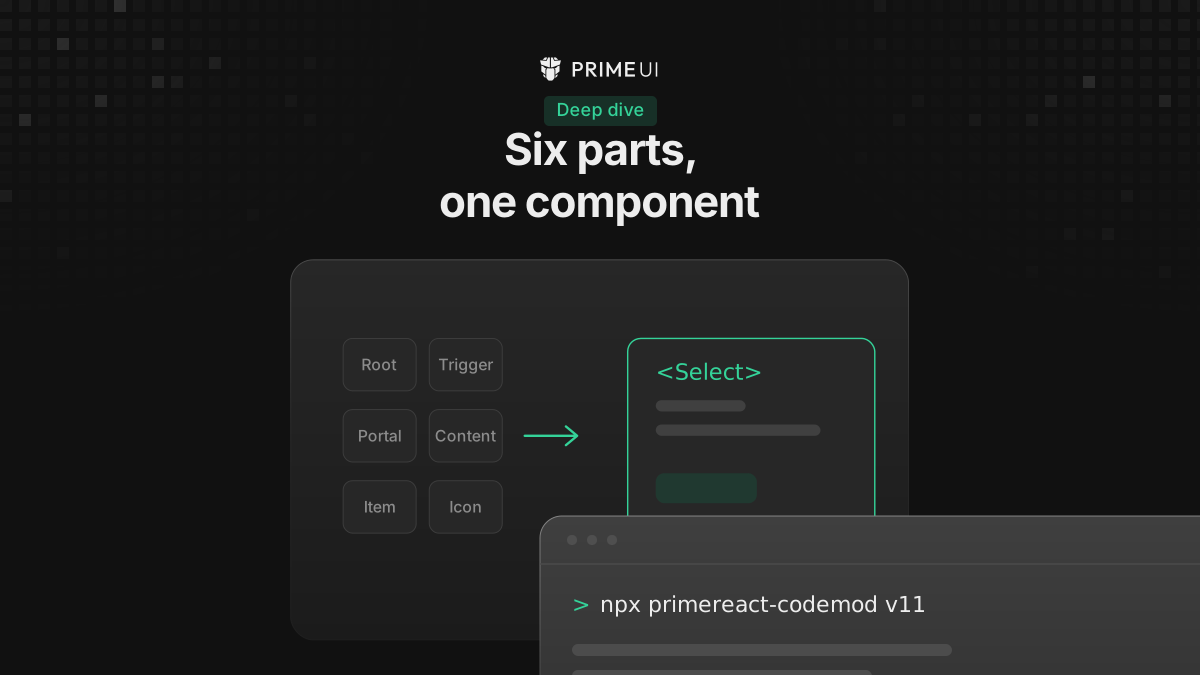
PrimeReact 11 replaced configuration props with composition. A Dropdown that
was one tag is now a Select with a root, a trigger, a value, an indicator, a
portal, a positioner, a popup and a list.
That is better, and it is also six times more markup at every call site. So if you have three hundred dropdowns in an application, seeing the new markup once in a migration guide does not help you much: the work is in the three hundred call sites, and nobody is going to hand-edit those. You write the composition once, in a file of your own, and then the call sites go back to looking roughly like the ones you already have.
What the props became
In v10 a component absorbed every feature as a prop: DataTable had around 149 of them, Calendar around 100, and Dropdown around 70. Anything the props did not cover was out of reach.
// v10
<Dropdown value={city} options={cities} optionLabel="name" placeholder="Select a City" onChange={(e) => setCity(e.value)} />
// v11
<Select.Root value={city} options={cities} optionLabel="name" onValueChange={(e) => setCity(e.value)}>
<Select.Trigger>
<Select.Value placeholder="Select a City" />
<Select.Indicator>
<ChevronDown />
</Select.Indicator>
</Select.Trigger>
<Select.Portal>
<Select.Positioner>
<Select.Popup>
<Select.List />
</Select.Popup>
</Select.Positioner>
</Select.Portal>
</Select.Root>The second version is longer because things that used to be unreachable are now
written out. panelClassName, dropdownIcon and itemTemplate were the only
ways in, and now every one of those positions is an element that takes props,
refs and children.
The requests that had no clean answer in v10 fall out of that. A sticky footer
in the panel that you can measure with a ref, a tooltip on one menu item without
rebuilding the item and losing its keyboard handling, a spinner in place of the
chevron driven by your own state rather than by the component’s loading prop:
none of those needed a new prop in v11, because each one is a position in the
markup that you can now write into.
The wrapper
All that verbosity sits at the call site, and the call site is code you control, so assemble the parts once in a file of your own:
// components/select.tsx
'use client';
import { ChevronDown } from '@primeicons/react';
import { Select as PRSelect, type SelectRootProps } from '@primereact/ui/select';

export function Select({ placeholder, ...props }: SelectRootProps & { placeholder?: string }) {
    return (
        <PRSelect.Root {...props}>
            <PRSelect.Trigger>
                <PRSelect.Value placeholder={placeholder} />
                <PRSelect.Indicator>
                    <ChevronDown />
                </PRSelect.Indicator>
            </PRSelect.Trigger>
            <PRSelect.Portal>
                <PRSelect.Positioner>
                    <PRSelect.Popup>
                        <PRSelect.List />
                    </PRSelect.Popup>
                </PRSelect.Positioner>
            </PRSelect.Portal>
        </PRSelect.Root>
    );
}
There is no forwardRef in there. These are React 19 function components, where
ref is an ordinary prop, so it travels with the rest spread like any other
prop and the wrapper does not have to do anything about it.
@primereact/ui/select exports Select as a namespace of parts, which is what
makes PRSelect.Root resolve. The same module also exports each part under its
full name (SelectRoot, SelectTrigger) if you prefer to import them
individually for tree-shaking.
The call site is back to one line now, and it is close enough to the v10 one that a find-and-replace does most of the work:
<Select value={city} options={cities} optionLabel="name" placeholder="Select a City" onValueChange={(e) => setCity(e.value)} />The rest props spread onto Root, so every data and behaviour prop still works
without being listed. options, optionLabel, optionValue, optionDisabled,
optionGroupLabel, disabled, invalid and variant all stayed on Root
untouched. Only the things that moved into parts, placeholder here, need
naming.
Where MultiSelect went
The wrapper pattern matters most for the component that no longer exists in v11.
MultiSelect is not a separate component any more. It is Select with a
multiple prop:
// v10
<MultiSelect value={selected} onChange={(e) => setSelected(e.value)}
             options={cities} optionLabel="name" display="chip" maxSelectedLabels={3} />

// v11
<Select.Root multiple value={selected} onValueChange={(e) => setSelected(e.value)}
             options={cities} optionLabel="name">
The parts and the prop names are the Select ones. What changed is the trigger
label. display, maxSelectedLabels and selectedItemsLabel are gone, and you
compute the summary text yourself as children of <Select.Value>. The
placeholder still comes from the prop, and children win when there is a
selection:
<Select.Value placeholder="Select toppings">{getLabel()}</Select.Value>Checkbox-style marks next to each option are <Select.OptionIndicator>, which
replaces checkboxIcon and itemCheckboxIcon. selectAll and showSelectAll
have no built-in counterpart, so a select-all control goes in <Select.Header>
and drives the value directly. If you write a MultiSelect of your own that
hard codes multiple, the option indicator and your label function, then a
component the library deleted goes on existing in your codebase as a one-line
import, and the screens using it do not need to know it changed.
How the Tailwind variant does it
PrimeReact ships its own Tailwind variant built exactly this way.
packages/tailwind/src/select.tsx wraps each primitive part, bakes in the
chevron and check icons, applies its classes, and re-exports the whole set as
named components:
export { Select, SelectArrow, SelectClear, SelectEmpty, SelectFilter, SelectFooter, SelectHeader, SelectList, SelectOption, SelectPopup, SelectPortal, SelectPositioner, SelectTrigger, SelectValue };Read that file before you write your own wrapper. It is the same technique at production scale, and the shape to copy from it is one wrapper per part rather than one wrapper around the whole thing.
The parts are still importable
The wrapper above bakes in a fixed arrangement, which is fine for the ninety percent of screens that want the default. For the rest you do not have to fight the wrapper, because the underlying parts stay importable on their own and you can drop down to them on the one screen that needs it.
// Ordinary screen
<Select value={city} options={cities} />

// The one screen that needs a footer in the panel
<PRSelect.Root value={city} options={cities}>
    ...
    <PRSelect.Popup>
        <PRSelect.List />
        <PRSelect.Footer>
            <Button onClick={addCity}>Add a city</Button>
        </PRSelect.Footer>
    </PRSelect.Popup>
    ...
</PRSelect.Root>
With the wrapper covering the bulk of the screens and the parts covering the exceptions, you can convert the application screen by screen instead of in one pass that has to land all at once.
There is a middle option too. A wrapper that forwards children bakes in the common arrangement and still lets a caller drop extra parts into the popup when they need to.
DataTable is the one that resists wrapping
Select wraps cleanly because its parts are fixed furniture: there is one
trigger, one popup, one list, and the data flows through props on Root.
DataTable does not have that shape, and you should know that before you budget
the migration.
v10 exposed roughly 149 props on the table plus a <Column> with its own set.
v11 spreads the same ground across more than 40 parts, and the body is a
function of the row:
<DataTable.Root data={products}>
    <DataTable.TableContainer>
        <DataTable.Table>
            <DataTable.THead>
                <DataTable.THeadRow>
                    <DataTable.THeadCell>
                        <DataTable.THeadTitle>Code</DataTable.THeadTitle>
                    </DataTable.THeadCell>
                </DataTable.THeadRow>
            </DataTable.THead>
            <DataTable.TBody>
                {({ item }) => (
                    <DataTable.Row key={item.id}>
                        <DataTable.Cell>{item.code}</DataTable.Cell>
                    </DataTable.Row>
                )}
            </DataTable.TBody>
        </DataTable.Table>
    </DataTable.TableContainer>
</DataTable.Root>
<Column> had to go because of how it worked in v10. Its entire source was
export const Column = () => {}, so it rendered nothing at all. DataTable
walked props.children, read column.props off each element and built the
table from that, which means the <Column> you wrote was a marker for the table
to read rather than a component that produced anything. That is why a
<PriceColumn /> of your own broke the table: DataTable inspected its direct
children and stopped there, so it saw a component it did not recognise instead
of the column inside.
In v11 those cells and columns are real components, so you wrap at that level here instead of wrapping the whole table the way you did with Select:
function PriceCell({ value }) {
    return <DataTable.Cell className="text-right tabular-nums">{formatPrice(value)}</DataTable.Cell>;
}
Watch the renames while you are in there: value became data, selection
became selectionKeys, first became page, expandedRows became
expandedKeys, onPage became onPageChange and onSort became
onSortChange. Most behaviour props kept their names, including dataKey,
loading, lazy, totalRecords, scrollable, sortField, paginator,
editMode and globalFilter.
Two things have no drop-in replacement. stateKey and stateStorage were
dropped, so persisting table state is application code now. And the imperative
methods are gone: exportCSV() became the <DataTable.Export> part backed by
useDataTableExport, while reset(), filter(), closeEditingCell(),
saveState() and restoreState() are handled through controlled state props or
the feature hooks under @primereact/headless/datatable/features.
The other two changes
Composition generates the most diff, but there are two more changes to plan for before you start.
Class components became function components. There is no imperative instance
API in v11, so toast.current.show(...) and dt.current.exportCSV() do not
exist. What was a method is now state or a headless hook, which changes how you
organize the code around a component and not only how you write the component
itself. Budget for that separately, because in most migrations it is the more
invasive of the two.
Content comes from children. Labels, icons, headers, footers and item templates were five different mechanisms in v10, each with its own prop and its own rules, and they are one mechanism now: you write them as children of the part that owns that position.
// v10
<Button icon="pi pi-check" label="Save" />

// v11
<Button><Check /> Save</Button>
label is gone and iconPos has no counterpart, since the order of the
children is what puts the icon before or after the text. The appearance booleans
collapsed too, so text, outlined and link are now
variant="text" | "outlined" | "link".
Controlled state naming
One more thing that shows up in every file you touch. The naming is the same across every component now:
| Concept | v10 | v11 |
|---|---|---|
| Value | value + onChange | value + defaultValue + onValueChange |
| Checked | checked + onChange | checked + defaultChecked + onCheckedChange |
| Open | visible + onHide | open + defaultOpen + onOpenChange |
| Active | activeIndex + onTabChange | value + defaultValue + onValueChange |
Every component has a defaultX for the uncontrolled case now, which v10 mostly
did not. The event object kept its shape. DropdownChangeEvent became
SelectValueChangeEvent, but e.value and e.originalEvent read the same as
before, so the bodies of your handlers usually survive the rename untouched.
Where to start
Write the wrappers for your three or four most-used components first. In a typical application that alone converts most of the call sites, and it leaves you a migration you can do a screen at a time rather than a branch that has to land all at once.