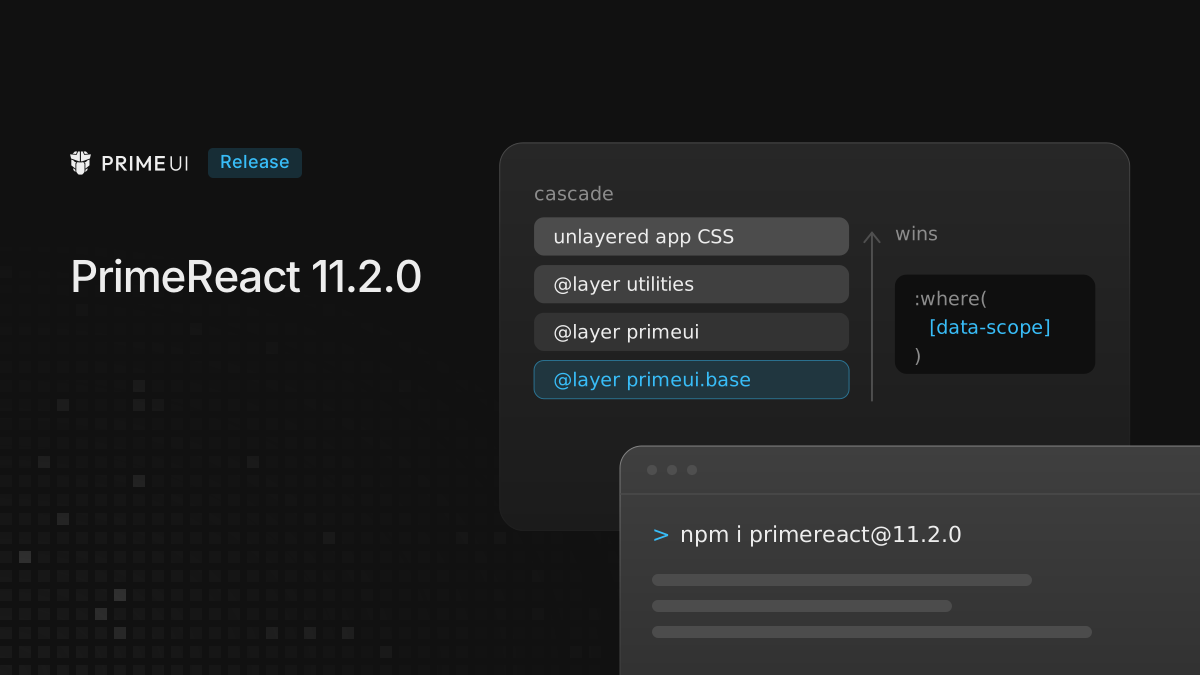
PrimeReact 11.2.0 adds one provider option, preflight, and most of this post
is about it. It adds CSS to every styled app, and the way that CSS is ordered
matters in some setups.
npm install [email protected]It still needs React 19. The reset described below is part of the styled
components, so an app that renders them from @primereact/ui moves that package
to 11.2.0 as well:
npm install @primereact/[email protected]Why a reset was needed
PrimeReact renders native elements: button, input, ul, table, headings.
The theme styles most of them, but not every one. A part rendered with
as="button" that has no theme rule of its own, such as Tabs.Tab or
Drawer.Trigger, falls back to whatever the browser gives a <button>.
We checked this on the PrimeReact showcase in Chrome, with every other reset on
the page removed. A Tabs.Tab switched from Inter to Arial, the browser’s
default button font. A Drawer.Trigger with no theme class got a grey
background, a 2px outset border and 1px by 6px of padding.
The showcase itself did not show the problem, because it loads Tailwind, and Tailwind’s preflight covers these elements. So do normalize.css and Bootstrap’s reboot. It showed up in apps that load no reset of their own.
What preflight does
11.2.0 ships a reset for those elements and turns it on by default. It clears
the margins, borders, padding, list styles and font settings that browsers
apply, sets box-sizing: border-box, and makes buttons, inputs and selects
inherit the font and colour around them. An excerpt of the button rules:
@layer primeui.base {
    button:where([data-scope]),
    :where([data-scope])[type='button'] {
        appearance: button;
        background-color: transparent;
        border: 0 solid;
        padding: 0;
        margin: 0;
        font: inherit;
        color: inherit;
        cursor: pointer;
    }
}
The selectors are keyed on data-scope, an attribute every element PrimeReact
renders already carries. Your own <button> or <ul> does not have it, so the
reset stops at the components’ own markup. It is not a global reset.
The rules also sit inside :where(), which has zero specificity, and inside a
cascade layer named primeui.base. Between them, any rule in your own CSS beats
the reset: an unlayered selector, a Tailwind utility, or a rule in one of your
layers, as long as the layer order below holds. None of them needs !important.
The reset is loaded as its own stylesheet, next to the base styles. In unstyled
mode it is not loaded at all, and the primereact package, which is unstyled by
construction, does not load it either.
Turning it off
If the app already has a reset, you can turn this one off on the provider:
import { PrimeReactProvider } from '@primereact/core';
import type { ReactNode } from 'react';

export function Providers({ children }: { children: ReactNode }) {
    return <PrimeReactProvider preflight={false}>{children}</PrimeReactProvider>;
}
That removes the stylesheet. Nothing else changes: the theme, the base styles
and unstyled work as before.
The layer order, and when it goes wrong
A cascade layer gets its position the first time its name appears, not where its
rules are written. PrimeReact injects @layer primeui.base; as the first style
element in the document, so on the client the reset layer is named before
anything else and loses to everything that comes after it. That is the intended
order.
Server rendering is where this can break. On the first response from the server,
the injected statement lands after the app’s own CSS. If that CSS declares its
layers first, as Tailwind v4 does with @import 'tailwindcss', then primeui
ends up after Tailwind’s layers, and the reset wins over utility classes. A
px-2 on a Drawer.Trigger would lose to padding: 0. The page paints wrong
and fixes itself once React hydrates.
The fix is one line, above the Tailwind import:
@layer primeui;

@import 'tailwindcss';
@import 'tailwindcss-primeui';
Declaring primeui is enough. The reset lives in primeui.base, a layer nested
inside primeui, and a nested layer takes its position from its parent. Where
the line goes matters: placed after the Tailwind import, it does nothing,
because by then the order is already fixed. A declaration spelled primeui-base
does not reach the reset either: that is a different layer name, not the nested
one.
primeui is also the default layer name used by theme.options.cssLayer. An
app that turned that option on has already declared this layer, and the same
line puts the reset and the component styles in place. The same goes for any
other CSS framework that declares its own layers; Tailwind is only the most
common case.
Apps without cascade layers are not affected. Unlayered CSS always beats layered CSS, no matter where it is declared.
DataTable header and footer
In the styled package, DataTable.Header and DataTable.Footer were missing
from the DataTable namespace, so a table could not show a header or footer
built from those parts. Both are there now, along with the flat exports
DataTableHeader and DataTableFooter from @primereact/ui/datatable.
InputPassword uses its own name
The component was renamed from Password to InputPassword in 11.0, but its root class and scope kept the old name. 11.2.0 finishes the rename. This change can break selectors in your code:
| Before | After |
|---|---|
.p-password |
.p-inputpassword |
[data-scope="password"] |
[data-scope="inputpassword"] |
import { styles } from '@primereact/styles/password' |
import { styles } from '@primereact/styles/inputpassword' |
Custom CSS, end-to-end test selectors and snapshot tests that target the old
names need updating. The @primereact/styles/password entry point is gone.
Upgrading
Upgrading is a version change unless one of these applies:
- The app already has a reset. Set
preflight={false}, or keep both if you prefer; the PrimeReact one only reaches PrimeReact elements. - The app is server rendered and uses Tailwind or other cascade layers. Add
@layer primeui;above the framework import. - The app styles or tests InputPassword by class or
data-scope. Update the selectors in the table above.
The full list is in the changelog, and the reset is documented in the configuration guide.