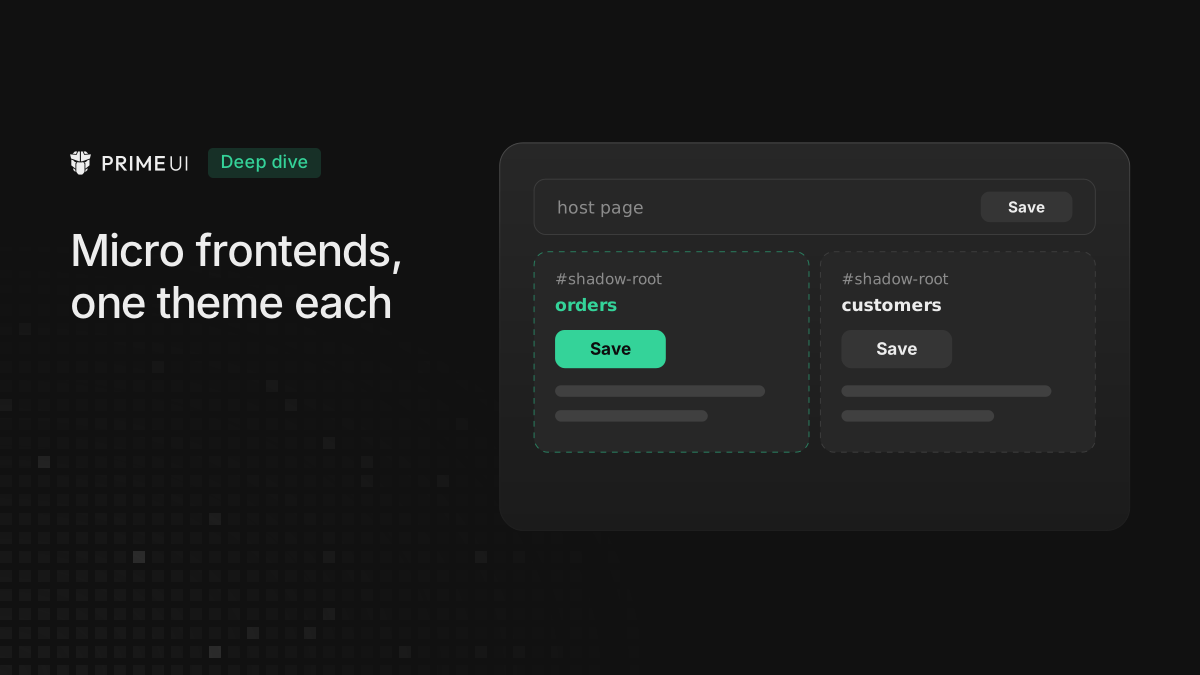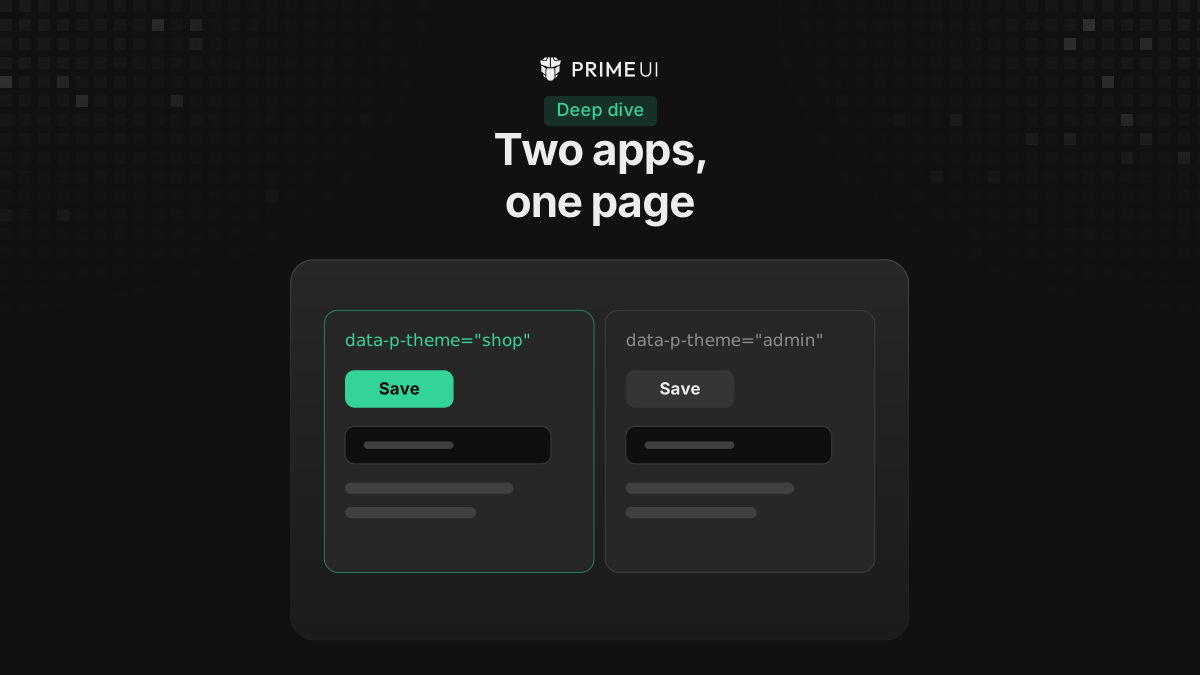
When two PrimeUI apps share a page, their themes do not stay apart. The app that sets up last decides the colors of the other one: buttons take the other app’s primary color, and when one app uses a custom variable prefix, some of its components can lose their styles entirely, with toggle switches that do not render and checkboxes without a box.
A host application runs into it when it loads micro frontends that each bring their own PrimeNG and their own theme. So does a browser extension that injects a PrimeVue panel into whatever page the user has open, and a widget built with PrimeReact that is embedded in a site also using PrimeReact.
The fix is isolated mode, set on the app that joins someone else’s page. It is
available in PrimeVue 5.0.3, PrimeReact 11.2.1, PrimeNG 22.1.3 and later
versions, with @primeuix/styled 1.1.0 and later, which those versions install.
It is marked experimental, so the API may still change based on feedback. For
the setup alone, skip to Setting it up.
Why the default mode cannot do this
In the default mode an app does three things with its theme:
- It writes the component styles as
<style>elements indocument.head, and finds them again by name, such as<style data-primevue-style-id="button-style">. - It defines the design tokens as CSS variables on
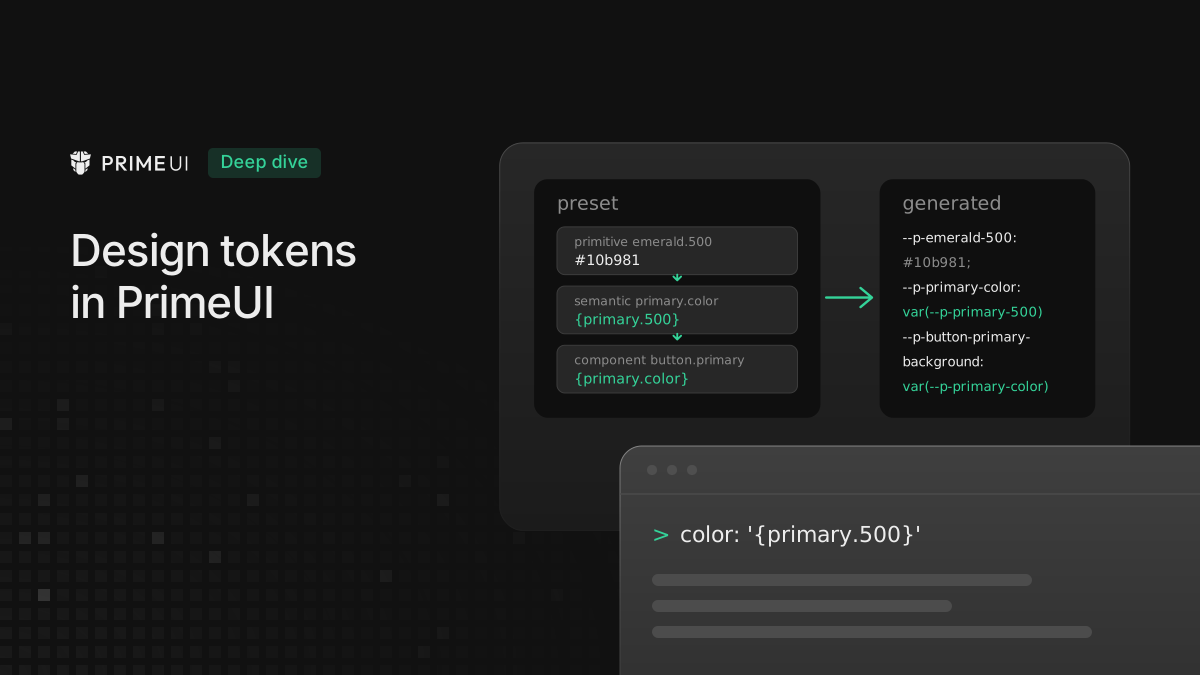
:root, such as--p-primary-color. - It writes rules for the plain class names:
.p-button,.p-select.
Each of these is shared by everything on the page. When a second copy of
PrimeVue loads, it looks for button-style, finds the first app’s element and
writes its own CSS into it. Its variables go to the same :root. And even when
two copies write to separate elements, the second copy’s .p-button rule
matches the first copy’s buttons, because they carry the same class.
The custom prefix case comes from the same shared elements. Say the first app
uses prefix: 'exam', so its components read --exam-primary-color and so on.
The second copy rewrites the shared style elements with rules that read --p-*
variables, which the first app never defined, so those rules resolve to nothing.
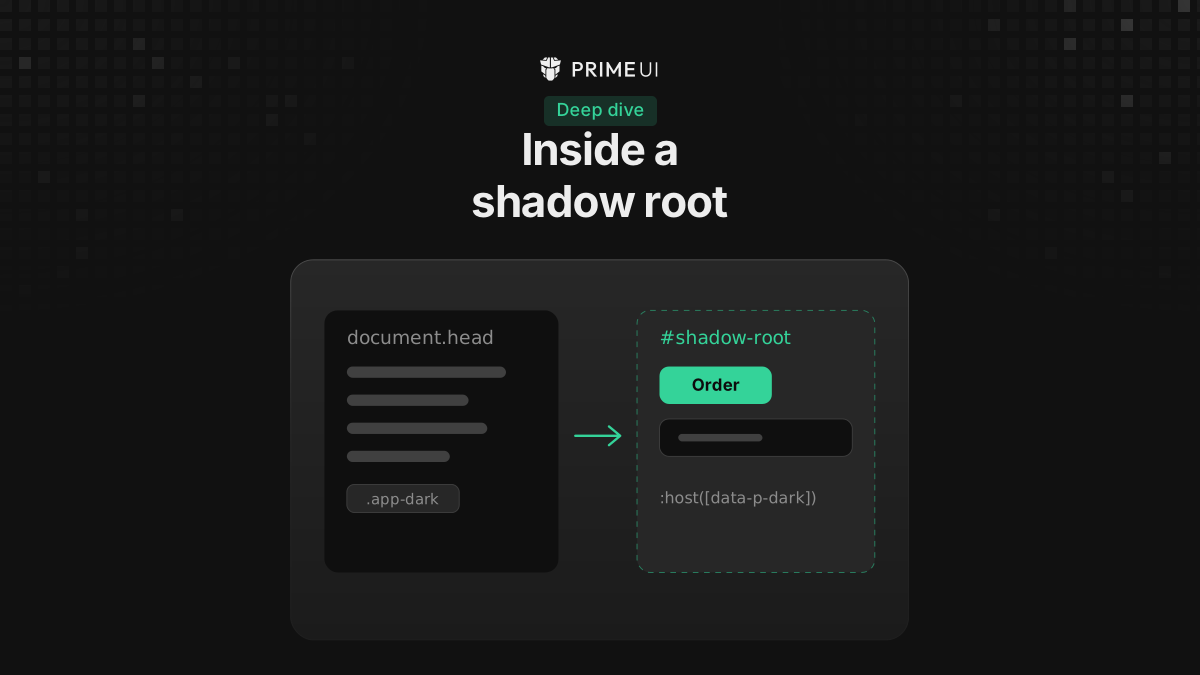
A shadow root does not change this in the default mode. The styles still live in
document.head and are copied into the root from there, so the two apps still
share one set.
Setting it up
Isolated mode is one option. Pass the result of withIsolation and leave the
rest of the configuration as it is.
PrimeVue:
import { createApp } from 'vue';
import PrimeVue from 'primevue/config';
import { withIsolation } from '@primevue/core/isolation';
import Aura from '@primeuix/themes/aura';
import App from './App.vue';

const app = createApp(App);

app.use(PrimeVue, {
    theme: { preset: Aura },
    isolation: withIsolation({ key: 'shop' })
});

app.mount('#shop');
PrimeReact:
import { PrimeReactProvider } from '@primereact/core';
import { withIsolation } from '@primereact/core/isolation';
import Aura from '@primeuix/themes/aura';
import { createRoot } from 'react-dom/client';
import { App } from './App';

const isolation = withIsolation({ key: 'shop' });

createRoot(document.querySelector('#shop')!).render(
    <PrimeReactProvider theme={{ preset: Aura }} isolation={isolation}>
        <App />
    </PrimeReactProvider>
);
Create the value once, outside the component that renders the provider. The provider reads it on mount.
PrimeNG:
import { ApplicationConfig } from '@angular/core';
import { providePrimeNG } from 'primeng/config';
import { withIsolation } from 'primeng/isolation';
import Aura from '@primeuix/themes/aura';

export const appConfig: ApplicationConfig = {
    providers: [providePrimeNG({ theme: { preset: Aura } }, withIsolation({ key: 'shop' }))]
};
Only the app that joins someone else’s page needs this, and the host keeps its default setup and its colors. In a browser extension’s content script it looks like this:
import { createApp } from 'vue';
import PrimeVue from 'primevue/config';
import { withIsolation } from '@primevue/core/isolation';
import Aura from '@primeuix/themes/aura';
import Panel from './Panel.vue';

const panel = document.createElement('div');

document.body.appendChild(panel);

createApp(Panel)
    .use(PrimeVue, {
        theme: { preset: Aura },
        isolation: withIsolation()
    })
    .mount(panel);
No key is needed there, since nobody writes CSS against the extension’s key. If
the page’s own CSS should not reach the panel either, attach a shadow root to
panel and mount inside it, for the reason given under
CSS layers and overrides.
The entry points are separate from the main package, so an app that does not use isolated mode does not bundle it.
What changes in the page
The output below comes from one page with two PrimeVue 5.0.3 apps on it. The
host app is mounted on #page in the default mode with Aura. The second app is
mounted on #shop in isolated mode, with Aura and an indigo primary palette.
Both render a Button and a Select.
The app’s root element gets a data-p-theme attribute with the key. The
component markup inside it does not change; the Button renders the same classes
in both apps:
<div id="page" data-v-app="">
    <button class="p-button p-component" type="button" data-pc-name="button" data-pc-id="pc0" data-pc-section="root">
        <span class="p-button-label" data-pc-section="label">Save</span>
    </button>
</div>

<div id="shop" data-p-theme="shop" data-v-app="">
    <button class="p-button p-component" type="button" data-pc-name="button" data-pc-id="pc0" data-pc-section="root">
        <span class="p-button-label" data-pc-section="label">Save</span>
    </button>
</div>
PrimeReact has no app root element of its own, so there every component root carries the attribute instead, and the instance id includes the key:
<button data-scope="button" class="p-button p-component" data-p-theme="shop" data-id="pc_shop_r_a_" data-styled="button" data-slot="root">Save</button>Every rule the theme writes for the shop app is scoped to that attribute. The
button rule that reads .p-button { ... } in the host app comes out as this in
the shop app:
.p-button:is([data-p-theme='shop'], [data-p-theme='shop'] *) {
    display: inline-flex;
    cursor: pointer;
    user-select: none;
    align-items: center;
    justify-content: center;
    overflow: hidden;
    position: relative;
    color: var(--p-button-primary-color);
    background: var(--p-button-primary-background);
    ...;
}
The variables move off :root in the same way. The host keeps defining them on
:root; the shop app defines its own set on the keyed element:
[data-p-theme='shop'] {
    --p-transition-duration: 0.2s;
    --p-disabled-opacity: 0.6;
    --p-icon-size: 0.875rem;
    ...;
    --p-primary-color: light-dark(#6366f1, #818cf8);
}
Reading the computed value of --p-primary-color on this page gives
light-dark(#10b981, #34d399) on <html> and on the host button, and
light-dark(#6366f1, #818cf8) on #shop and on its button. The host button
paints emerald and the shop button indigo, with the same class names, the same
variable names and the same copy of the library.
The styles themselves no longer go to document.head as named elements. On this
page the head holds the host app’s eleven <style data-primevue-style-id>
elements and none for the shop app. The shop app’s eleven styles are constructed
stylesheets in document.adoptedStyleSheets, and the same sheets are adopted
into every shadow root the app renders in, so an app mounted inside a shadow
root needs nothing else. Where adoptedStyleSheets is not available, a
<style> element is used instead.
Overlays follow the app. The shop app’s Select panel is appended to
document.body, outside #shop, and carries the key while it is open:
<div class="p-select-overlay p-component" data-p="portal-body" data-pc-section="overlay" data-p-theme="shop" data-pc-id="pc1" style="z-index: 1001; position: absolute; ...">So the panel gets the shop app’s theme and not the page’s. Dark mode works the
same way: the app watches <html> for its darkModeSelector and marks its own
elements with data-p-dark, so a toggle on the page reaches every isolated app,
including those in shadow roots.
Choosing a key
A key may contain letters, digits, _ and -, up to 128 characters. Without
one, the library generates a random key in the browser, which is fine for an
extension that nobody else styles.
Pass a key when:
- the app is rendered on the server, so the server and the browser use the same one;
- CSS written for the app targets it, as in
[data-p-theme='shop'] .card.
When a key is already taken on the page, the second app gets shop-2, then
shop-3. That happens in production builds as well. Only the console warning
about it is limited to development builds. Pick distinct keys for different apps
rather than relying on the suffix, because CSS written for shop does not match
shop-2.
Changing one app’s theme at runtime
updatePreset, updatePrimaryPalette, usePreset and the other helpers from
@primeuix/themes work on the shared theme of the default mode. They do not
reach an isolated app, because it has its own theme. That is intended: a host
that switches its own palette at runtime should not repaint the micro frontends.
To change an isolated app’s theme, take the same helpers from its own theme with
getActionsInstance. Like the rest of the isolation API, it is marked
experimental.
// PrimeVue, inside a component of the isolated app
import { getActionsInstance } from '@primeuix/styled';
import { palette } from '@primeuix/themes';
import { useIsolation } from 'primevue/config';

const isolation = useIsolation();

if (isolation) {
    getActionsInstance(isolation.theme).updatePrimaryPalette(palette('{indigo}'));
}
The accessor has a different name in each library, and returns undefined in
the default mode:
| Library | Accessor | Import |
|---|---|---|
| PrimeVue | useIsolation() |
primevue/config |
| PrimeReact | useIsolation() |
@primereact/core |
| PrimeNG | injectIsolation() |
primeng/config |
The returned object has usePreset, updatePreset, updatePrimaryPalette,
updateSurfacePalette and useTheme, with the same signatures as the global
helpers.
CSS layers and overrides
The scoped selector is more specific than a plain one. A .p-button rule in
another stylesheet loses to .p-button:is([data-p-theme='shop'], ...), which is
not the case in the default mode.
Which way that should go depends on who owns the page:
- The app owns the page. Turn on
cssLayer. The theme moves into a cascade layer, and CSS outside a layer wins again, the same as in the default mode. - Someone else owns the page, as with an extension or an embedded widget.
Leave
cssLayeroff. The page’s own.p-buttonrules then lose to the scoped ones and do not restyle the app.
app.use(PrimeVue, {
    theme: { preset: Aura, options: { cssLayer: true } },
    isolation: withIsolation({ key: 'shop' })
});
Isolated mode keeps the themes apart, but it does not stop the page’s CSS from
matching the app’s elements, and a page rule like button { font-size: 20px }
still applies to the app’s buttons. To keep that out as well, mount the app in a
shadow root. The app places its styles in the shadow root on its own, and no
extra option is needed for the two to work together.
Server rendering
How the theme reaches a server-rendered page in general, in Nuxt, Next.js and Angular SSR, is covered in Theming with server rendering in PrimeVue, PrimeReact and PrimeNG. This section is only about the key.
With Nuxt, set the key in the module options:
// nuxt.config.ts
export default defineNuxtConfig({
    modules: ['@primevue/nuxt-module'],
    primevue: {
        isolation: { key: 'shop' }
    }
});
The module renders the root element with data-p-theme="shop" and writes the
scoped styles into the HTML, so the page is styled before any JavaScript runs.
When the app starts in the browser, it adopts those styles instead of writing
them a second time. For a Vue app rendered without Nuxt, the
PrimeVue docs show how to do the same
with getIsolatedStyleSheets.
In PrimeNG, give each server-rendered application its own key when there is more than one on the page. In PrimeReact the server derives the key itself, so a key is only needed when CSS refers to it.
Styling other elements in the app’s scope
If the app renders something PrimeUI does not know about, such as a panel
appended to document.body by hand, or a shadow root the app has not rendered
into yet, the isolation object handles it:
// PrimeVue
import { onMounted, onUnmounted } from 'vue';
import { useIsolation } from 'primevue/config';

const isolation = useIsolation();
let release;

onMounted(() => {
    release = isolation?.retain(shadowRoot);
    isolation?.set('my-styles', isolation.scopeCSS('.my-card { padding: 1rem; }'));
});

onUnmounted(() => {
    release?.();
    isolation?.delete('my-styles');
});
retain brings the app’s styles into a root, hold marks an element outside
the app as part of it, and set with scopeCSS adds the app’s own CSS under
its key. Each one can be undone, with the function it returns or with a matching
call such as delete. Do that on unmount.
Things to know before using it
- One isolated app inside another isolated app is not supported.
- CSS that comes in through
@importcannot be scoped and is passed through as it is. - In PrimeVue, Toast’s message channel is shared by every app that uses the same
copy of the library. Two micro frontends built into one bundle should give
their Toasts different
groupnames. Micro frontends built separately have separate copies and are not affected. - The API is experimental, so it may still change.
Micro frontends with their own PrimeUI theme builds one micro frontend from mount to unmount, with shadow roots, overlays, dark mode and toasts.
The full setup is in the docs for PrimeVue, PrimeReact and PrimeNG. For components inside a shadow root on a page with one theme, the lighter option is described in Using PrimeUI components inside a shadow root.