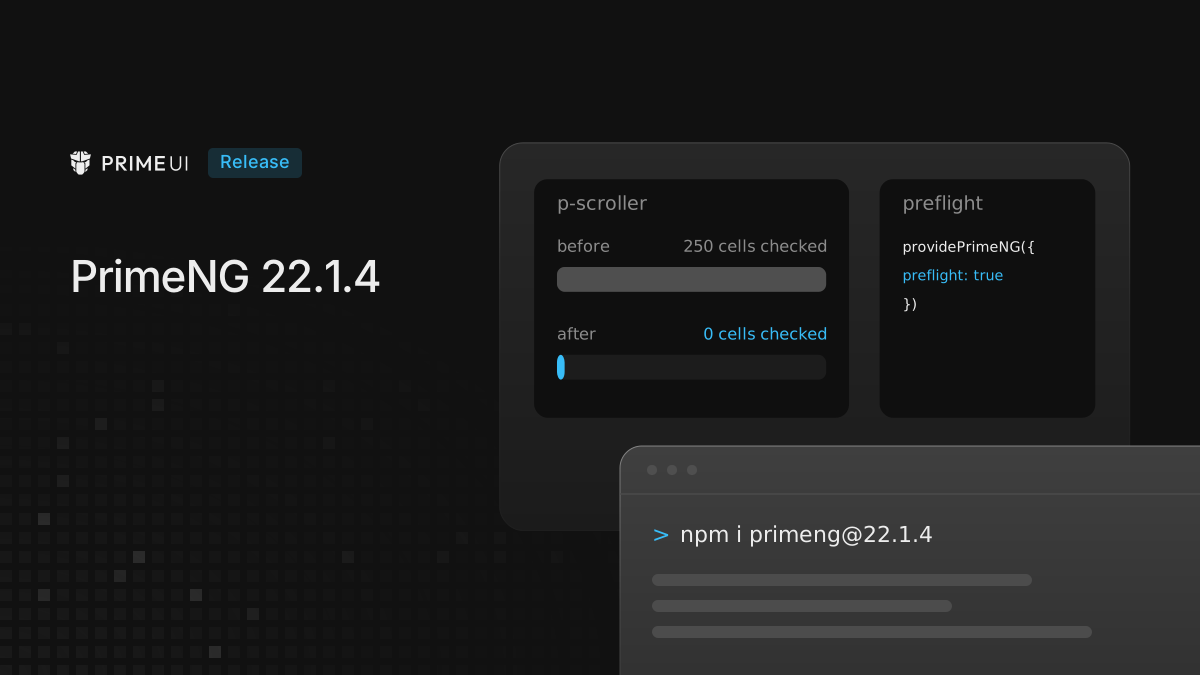
PrimeNG 22.1.4 is out. It adds an optional reset for the native elements inside components, continues the Select fixes from the component audit, and changes how virtual scrolling triggers change detection.
npm install [email protected]The new preflight option is off by default, so an app that does not turn it on
looks the same as before. One public method on Select that had no effect is
removed, and the Upgrading section covers it.
Preflight
A component is built from native elements: a Select has a button and a ul, a
Table has a table, an InputText is an input. Browsers give those elements
margins, borders, fonts and list styling, and wherever the component CSS does
not override a default, it shows through. This shows only in apps that do not
load Tailwind’s preflight, normalize.css or a similar reset.
preflight resets those defaults, but only on elements a PrimeNG component
renders:
import { ApplicationConfig } from '@angular/core';
import { providePrimeNG } from 'primeng/config';

export const appConfig: ApplicationConfig = {
    providers: [
        providePrimeNG({
            preflight: true
        })
    ]
};
The option is experimental, and its behavior may still change based on feedback.
The reset comes from @primeuix/styles 3.1.0, and 22.1.4 requires that version.
Every rule matches an element marked with data-pc-section, so a button
elsewhere on the page keeps its browser defaults. Because every selector is
wrapped in :where(), a rule in the app that targets the same element wins
without !important. The rules sit in their own cascade layer, primeui.base,
and PrimeNG writes the layer order once, at the top of the head, before any
other style:
| Setup | Layer order written |
|---|---|
preflight on, cssLayer off | @layer primeui.base; |
preflight on, cssLayer on | @layer primeui.base,primeui; |
preflight on, order theme, base, primeui | @layer theme,base,primeui,primeui.base; |
preflight off, cssLayer on | @layer primeui; |
With cssLayer off the component styles are not in a layer, and they win over
the reset. With it on, primeui.base is nested under primeui, and the
component styles in primeui still win. The reset is skipped in unstyled mode,
and with withIsolation it is scoped to the isolated app like the rest of its
styles. The
PrimeUIX styled 1.2.0 post
explains why the order has to be written in a single statement.
An app that already loads its own reset can leave the option off. With Tailwind,
the Tailwind layers come after primeui.base, so utilities override the reset
either way.
Select
Tab and the parent
With the panel open, Tab selected the focused option, closed the panel and then stopped the event. A keydown listener on a parent did not see the Tab, although it saw Escape and Enter. Tab now reaches the parent, so focus moves on the way it does for a native control.
This is visible in Table cell editing. With a Select as the cell editor and its panel open, Tab now selects the focused option and moves to the editor in the next row. Before, the cell stayed in edit mode and the Tab was lost.
When the panel holds something focusable, such as the filter input, Tab still moves focus into the panel, as before.
A custom filter template
With a #filter template, the built-in key handling of the filter input was not
attached, so arrow keys in the custom input did nothing. Keys pressed in an
input inside the template now go through the same handling as the default
filter: the arrow keys, Home, End, Enter, Escape and Tab.
<p-select [options]="countries" [(ngModel)]="country" optionLabel="name" [filter]="true">
    <ng-template #filter let-options="options">
        <input pInputText (input)="options.filter($event)" />
    </ng-template>
</p-select>
Other Select fixes
- Clicking the
<label for>of a disabled Select focused it, so the next blur marked the form control as touched. The click is ignored while disabled. - Two scroll timers were started again without clearing the pending one. The earlier timer could no longer be canceled and could scroll the list after it closed. The pending timer is now cleared first.
lazyandonLazyLoadonly take effect withvirtualScroll. The API documentation now says so. The behavior itself is unchanged.- The filter flow now has end-to-end tests in a real browser: keyboard access to the filter, arrow keys through the filtered list, Enter, Escape, and clearing and reopening the filter.
Virtual scrolling
p-scroller listened to the scroll event through a template binding, and every
scroll event marked the view for change detection. Table, Select, Listbox and
every other component that virtualizes through the Scroller checked all rendered
rows on each event, even when the rendered range stayed the same. On a
virtual-scrolled Table with 100 rows and 10 columns, a scroll inside the
rendered range ran change detection over 25 rows and 250 cells.
The Scroller now listens outside the template and requests change detection only
when the rendered range changes, or when an onScroll handler is bound. The
same scroll now checks no rows at all. This helps zoneless apps only: with
zone.js, every scroll event still runs change detection, as before.
Two related Table fixes:
- With
resetPageOnSortset tofalse, sorting still went back to the first page and the top of the list when a column filter was defined, even with nothing filtered. Sorting now keeps the page and the scroll position. - With virtual scrolling and
autoSize, the Scroller briefly cleared its height while measuring, and the browser reset the scroll position to the top. It now restores the position after measuring.
DatePicker
A day that cannot be picked, because of minDate, maxDate, disabledDates or
disabledDays, only carried the p-disabled class, so a screen reader
announced it like any other day. Its grid cell now carries
aria-disabled="true".
The dayCell and day pass-through options now also receive the date they
render, so a cell can be styled per date:
dayCellPt = ({ context }: any) => {
    const { year, month, day } = context.date;
    const weekend = [0, 6].includes(new Date(year, month, day).getDay());

    return { class: weekend ? 'is-weekend' : undefined };
};<p-datepicker [(ngModel)]="date" [pt]="{ dayCell: dayCellPt }" />The context holds date (day, month from 0 to 11, year), today,
otherMonth, selected and disabled. It is not in the pass-through types
yet, so the example types the parameter as any.
Keyboard navigation across month boundaries also lost focus after a few month changes. Focus now stays on the day grid.
Other fixes
-
TreeSelect now passes a
#nodetemplate to its tree, which used to ignore it, so the nodes in the dropdown can be customized.<p-treeselect [(ngModel)]="selected" [options]="nodes"> <ng-template #node let-node> <i class="pi pi-folder"></i> {{ node.label }} </ng-template> </p-treeselect> -
Panel and Fieldset rewrote the
tabindexof everything in their content on each toggle, and expanding removed the attribute. A Select inside an initially collapsed Panel became unreachable with Tab after the Panel was expanded. The content keeps its owntabindexnow. -
ConfirmPopup passes a
ConfirmEventTypetoreject:REJECTfor the Reject button andCANCELfor Escape, the same as ConfirmDialog. TheConfirmation.rejecttype still has no parameter, so a handler that reads it declares it as optional:reject: (type?: ConfirmEventType) => .... -
Drawer threw a
TypeErrorand opened without its mask when it was modal and rendered inside a shadow root. The mask now takes its z-index from the drawer itself.
Upgrading
From any 22.1.x it is a version bump:
npm install [email protected]Two things to check afterwards:
Select.allowModelChange()is removed. Its condition could not be true, so it had no effect, but code that called it no longer compiles.- Table cell editing with a Select editor: Tab with the panel open now moves to the next row’s editor.
The full list is in the changelog. The PrimeVue 5.0.4 and PrimeReact 11.2.2 posts cover the same preflight option in the other two libraries.