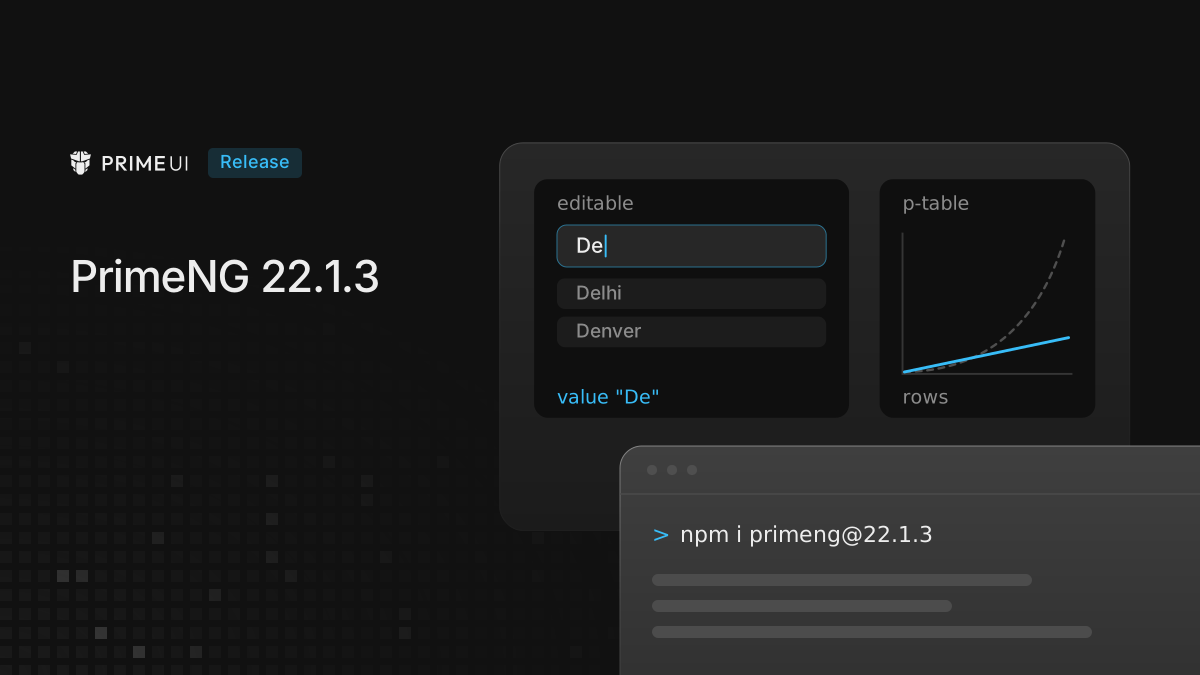
PrimeNG 22.1.3 is out. Most of it comes from the component audit that began last month, which started with Select.
npm install [email protected]There are no breaking changes. Two things are new and opt-in (isolated mode and
classPrefix). 22.1.2 shipped a security fix without a post of its own, and the
last section of this one covers it.
Select in the audit
The audit scores every component out of 100 across seven areas, and every point taken off has to name the finding behind it. Select was the first component through, in three rounds. The third started from scratch, and the people running it were not given the earlier report.
The score went down with every round: 69, then 63, then 53. The code was the
same in all three, but each round measured more than the one before. The third
round was the first to run server-side rendering, to click through the readonly
and loading paths in a real browser, to time key presses on a long list, and to
read the generated .d.ts instead of the source. It was also the first to break
the component on purpose. Removing five behaviors one at a time (filtering,
closing on Tab, virtual scrolling, the editable model sync, the
disabled/readonly/loading guard) left all 225 tests green each time. Most fixes
in this release come with a test for that reason.
Select has not been re-scored on 22.1.3 yet, but that run comes next, and the score it gives will be published.
Select: what the audit found and what changed
readonly and required
The worst finding was data loss. On a readonly or loading Select the clear
icon stayed visible, and clicking it emptied the model, because only the
keyboard path was guarded. That part already went out in 22.1.2.
What 22.1.3 adds is on the accessibility side. A readonly Select now announces
aria-readonly, so a screen reader user hears that the field cannot be changed
instead of finding out by trying:
<p-select [options]="cities" [(ngModel)]="city" optionLabel="name" readonly />The same pass went through readonly in Listbox and AutoComplete.
required had a smaller problem. The non-editable combobox is a span, and it
carried a required attribute, which a span does not support. It now carries
only aria-required, and the editable input, which is a real input, keeps
required.
Editable mode
Editable mode had the most findings, and several of them were already open as issues in the old PrimeNG repository.
Typing text that matched no option still moved focus to the first option on every second key press, so pressing Enter committed that option. Type “De”, press Enter, and the form stored “Delhi”. This was primefaces/primeng#18873. A related case, primefaces/primeng#18799, was a partially matched value: typing “NewDown” and tabbing away always picked “New York”. Both are fixed, and the input now keeps the typed text.
The editable input now writes to the form once per key press. It used to write
twice, and with selectOnFocus the two writes carried different values, so a
form listening to valueChanges saw every intermediate state.
On the accessibility side, the editable input had no role="combobox", no
aria-expanded and no aria-controls. Those were on the non-editable trigger
only. This was
primefaces/primeng#18963,
found with an accessibility checker, and the editable input now has the same
attributes as the trigger, along with the aria-autocomplete that the
documentation already described but the template never rendered. Its accessible
name stays on the associated label, and an empty input is no longer styled as a
placeholder.
What a screen reader hears
A few changes here are about announcements rather than visible behavior:
- Filter results are announced through a hidden live region, so typing in the filter tells a screen reader user how many options are left.
- The empty message and group headers no longer carry
role="option". They were being read out as choices that could not be chosen. - Option rows no longer set
aria-labelto the plain label.aria-labelwins over content in the accessible name, so a custom option template with a flag or a second line was announced as the bare label. The name now comes from what the template renders. aria-multiselectablemoved from the combobox to the listbox, where the role allows it, and the dropdown icon is hidden from assistive technology.- Clicking a
<label for>associated with the Select now focuses it, the way it does for a native control.
Other Select fixes
- Filtering threw when a group had no children.
- Focus could land on a disabled option while the list was opening.
- Enter used to confirm an IME composition in the filter also acted as a normal Enter. The component now ignores it while a composition is active.
- Filtering grouped options checked every option against the filtered list with
includes, which is quadratic, so it now uses aSet. - The selection check ran several times per option row on each render, and now runs once.
- Pending timers are canceled when the component is destroyed.
pt.overlayworked at runtime but was missing from the pass-through type.- A few inputs and members that did nothing are gone from the public surface, along with a float label branch that looked for a class the library no longer emits.
Table and TreeTable rendering
Table and TreeTable had the same shape of problem: rendering time that grew with the square of the row count.
For Table, the trigger was a body template with a block at its root, such as an
@if around the <tr>. On a table with 1,420 rows and no paginator or virtual
scroll, the main thread was blocked for about 20 seconds in one task. Each row
was reading the table’s template queries (group header, group footer, expanded
row, loading body) in its own template. Inserting a row marks those queries
dirty, so the next read collected them again across every row rendered so far.
The body now reads each template once per render instead of once per row.
TreeTable had the same pattern in the row toggler and the checkbox, which read the icon template queries on every row. Query collection alone took 86 ms for 200 rows and 4,356 ms for 800, and the cost was paid again on every expand and collapse. Those templates are now read once per change detection pass and handed to the rows as a signal.
Templates stay as they are. If a table was paginated only to get around this, measure it again without the paginator.
Smaller cost on every component
When a component without dt was created, the base component tried to remove a
scoped style it never loaded, which meant a querySelector over the whole
document for every instance. The removal now only runs when there is something
to remove. On a page with thousands of components the saving adds up: one change
detection pass over 4,000, 8,000 and 16,000 badges went from 283, 650 and 1,705
ms to 229, 433 and 869 ms.
Server-rendered ids
Component ids come from a counter in @primeuix/utils. On a server that counter
lives as long as the process, so the second request rendered pn_id_4 where the
first rendered pn_id_1, while the browser always starts from one on hydration.
Against a real @angular/ssr server, one served page carried pn_id_106 and
the hydrated DOM pn_id_1. Anything pointing at those ids from outside the
component, such as a label or an aria-describedby, pointed at nothing.
Ids are now generated per application, so every request starts from the same place and matches what the client produces.
Isolated mode, shadow roots and classPrefix
Three theming changes come with this release. They sit on @primeuix/styled
1.1.0 and @primeuix/utils 0.8.3, which 22.1.3 requires, so a fresh install
picks them up; the
PrimeUIX styled 1.1.0 post
covers that layer. Each change also has a longer post of its own.
Isolated mode is for a page that hosts more than one application, such as
micro frontends or an embedded widget. In the default mode they share one theme
and the last one to load decides the colors of the others. With withIsolation
an application gets its own theme, scoped to a data-p-theme attribute on its
root and its overlays:
import { ApplicationConfig } from '@angular/core';
import { providePrimeNG } from 'primeng/config';
import { withIsolation } from 'primeng/isolation';
import Aura from '@primeuix/themes/aura';

export const appConfig: ApplicationConfig = {
    providers: [
        providePrimeNG(
            {
                theme: {
                    preset: Aura
                }
            },
            withIsolation({ key: 'shop' })
        )
    ]
};
It is experimental, and the API may still change based on feedback. Setup, keys, CSS layers and server rendering are in Running two PrimeUI apps on one page.
Shadow roots need no option in PrimeNG. A component rendered inside one, for
example with ViewEncapsulation.ShadowDom, gets the page styles copied into
that root while it is alive. The outside-click and focus checks used to stop at
the shadow host, so a DatePicker closed when its next month button was pressed
(primefaces/primeng#18220)
and a popup Menu closed as soon as it opened
(primefaces/primeng#16298).
Both are fixed. What still does not work inside a shadow root is listed in
Using PrimeUI components inside a shadow root.
classPrefix renames the p- component classes, so p-button can become
my-button in the CSS and in the markup. It is a theme option:
providePrimeNG({
    theme: {
        preset: Aura,
        options: {
            classPrefix: 'my'
        }
    }
});
Renaming the p- classes with classPrefix lists what is renamed and what is not.
Component instances are now also marked with data-pc-id, which holds the
instance id. The old empty attribute is still rendered next to it, so existing
selectors keep matching. For new selectors, use data-pc-id.
Other fixes
- The shared overlay keeps a closing panel in the DOM until its leave animation
ends, and during that time the panel still reacted to the mouse. With
selectOnFocus, moving the pointer over where the list had been kept changing the value. The overlay now ignores the pointer from the moment it starts to leave, so the fix applies to every component built on it. - In Toast, a message dismissed by swiping disappeared from view but stayed in
the list of open messages, so with
preventOpenDuplicatesthe same message could not be shown again. - The MultiSelect header checkbox could select all but never unselect all.
- With multiple sort, the first Table column was missing its
1indicator. - DatePicker with
timeOnlyandminDateormaxDatecould loop the hour.
The security fix in 22.1.2
22.1.2 went out on 29 September without a post. The fix in it that matters most
is in pBind, the directive behind pass-through. It applied every key of the
object it was given straight to the element, including innerHTML, srcdoc and
string event handlers. When those objects come from a CMS or a token backend,
that is stored XSS. pBind now runs URL and HTML sinks through Angular’s
DomSanitizer, drops outerHTML, and only accepts functions as event
listeners. If any pt objects are built from data the app does not control,
upgrade: the fix is in 22.1.2 and later.
Upgrading
From any 22.1.x it is a version bump:
npm install [email protected]One thing to check afterwards: end-to-end tests that find options by accessible name. With a custom option template, the name is now what the template renders rather than the plain label, so a locator built from the label may stop matching.
The full list is in the changelog. The audit moves on to the next component.