PrimeVue, PrimeNG, PrimeReact and the PrimeUI Pro components read a license key,
which comes from the PrimeUI account. A PrimeUI key, Community or Commercial,
goes into the configuration the library already takes. A key for a single Pro
component is registered once when the app starts. The license option is in
PrimeVue 5.0.0, PrimeNG 22.0.0 and PrimeReact 11.0.0 and later.
Which releases a key covers
A key covers the releases published before its update period ends, and it keeps working with those releases after the period ends. A release published later reports the key as not covering it. A Community key also has an end date of its own, followed by a 30 day grace period.
PrimeVue
The key is an option of the plugin, next to the theme:
import { createApp } from 'vue';
import PrimeVue from 'primevue/config';
import Aura from '@primeuix/themes/aura';
import App from './App.vue';

const app = createApp(App);

app.use(PrimeVue, {
    theme: {
        preset: Aura
    },
    license: 'PRIMEUI-LICENSE-KEY'
});

app.mount('#app');
PrimeNG
The key is a field of the configuration passed to providePrimeNG:
import { ApplicationConfig } from '@angular/core';
import { providePrimeNG } from 'primeng/config';
import Aura from '@primeuix/themes/aura';

export const appConfig: ApplicationConfig = {
    providers: [
        providePrimeNG({
            theme: {
                preset: Aura
            },
            license: 'PRIMEUI-LICENSE-KEY'
        })
    ]
};
PrimeReact
The key is a prop of PrimeReactProvider, set once at the root:
import { PrimeReactProvider } from '@primereact/core';
import Aura from '@primeuix/themes/aura';
import { createRoot } from 'react-dom/client';
import App from './App';

createRoot(document.getElementById('root')!).render(
    <PrimeReactProvider theme={{ preset: Aura }} license="PRIMEUI-LICENSE-KEY">
        <App />
    </PrimeReactProvider>
);
PrimeUI Pro components
With a key for one Pro component
A key that covers a single Pro component, and an app without PrimeVue, PrimeNG
or PrimeReact, use registerLicense from @primeui/license-manager. Every Pro
component already depends on that package, and adding it to the app makes the
import explicit:
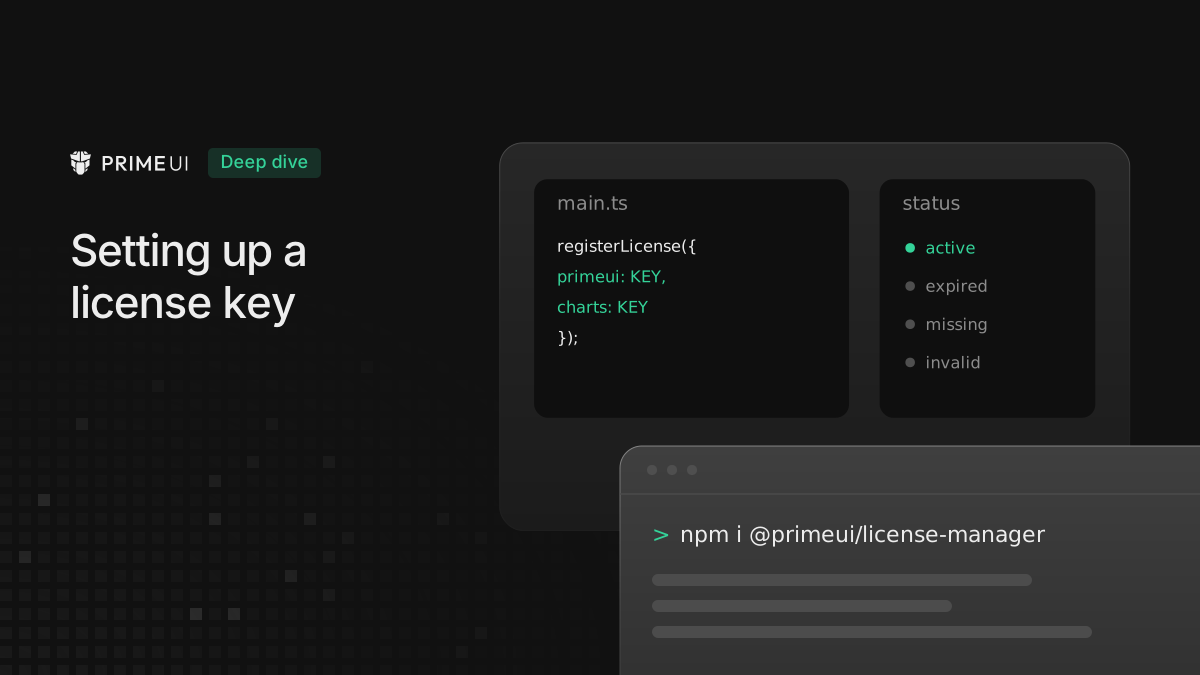
npm install @primeui/license-managerregisterLicense takes one key per product, under the product’s name: primeui
for a PrimeUI key, and charts, taskboard, texteditor, scheduler or
diagram for a Pro component. It runs in the entry file, before the app starts:
// Vue: main.js
import { registerLicense } from '@primeui/license-manager';
import { createApp } from 'vue';
import App from './App.vue';

registerLicense({ charts: 'PRIMEUI-PRO-CHARTS-LICENSE-KEY' });

createApp(App).mount('#app');
// React: main.tsx
import { registerLicense } from '@primeui/license-manager';
import { createRoot } from 'react-dom/client';
import App from './App';
registerLicense({ taskboard: 'PRIMEUI-PRO-TASKBOARD-LICENSE-KEY' });
createRoot(document.getElementById('root')!).render(<App />);// Angular: main.ts
import { bootstrapApplication } from '@angular/platform-browser';
import { registerLicense } from '@primeui/license-manager';
import { App } from './app/app';
import { appConfig } from './app/app.config';
registerLicense({ texteditor: 'PRIMEUI-PRO-TEXTEDITOR-LICENSE-KEY' });
bootstrapApplication(App, appConfig);An app without PrimeVue, PrimeNG or PrimeReact registers a Commercial PrimeUI
key the same way, under primeui:
registerLicense({ primeui: 'PRIMEUI-COMMERCIAL-LICENSE-KEY' });With PrimeVue, PrimeNG or PrimeReact
A Commercial PrimeUI key covers the Pro components as well. An app that already
passes it to PrimeVue, PrimeNG or PrimeReact uses the Pro components with no
registerLicense call.
A Chart next to PrimeVue components, with the key on the PrimeVue plugin:
// main.js
import { createApp } from 'vue';
import PrimeVue from 'primevue/config';
import Aura from '@primeuix/themes/aura';
import App from './App.vue';

createApp(App)
    .use(PrimeVue, {
        theme: { preset: Aura },
        license: 'PRIMEUI-COMMERCIAL-LICENSE-KEY'
    })
    .mount('#app');
<!-- App.vue -->
<script setup>
import Button from 'primevue/button';
import { ChartLine, ChartSvg, ChartXAxis, ChartYAxis } from '@primeui/vue-chart';
const sales = [
{ month: 'Jan', total: 120 },
{ month: 'Feb', total: 180 },
{ month: 'Mar', total: 150 }
];
</script>
<template>
<Button label="Refresh" />
<ChartSvg :height="320">
<ChartLine :data="sales" category-x-field="month" value-y-field="total" />
<ChartXAxis />
<ChartYAxis />
</ChartSvg>
</template>PrimeNG and PrimeReact work the same way: the key goes into providePrimeNG or
onto PrimeReactProvider as shown above, and a TaskBoard, a TextEditor or any
other Pro component in the app reads it from there.
A PrimeUI key and a Pro key in one app
An app can have a PrimeUI key for PrimeVue and a separate key for a Pro
component, such as Chart. Each registerLicense call replaces the keys of the
previous one, and the license option of the plugin registers its key the same
way. Set up in two places, one of the keys is lost:
// main.js, one key is dropped
registerLicense({ charts: 'PRIMEUI-PRO-CHARTS-LICENSE-KEY' });

createApp(App)
    .use(PrimeVue, { theme: { preset: Aura }, license: 'PRIMEUI-LICENSE-KEY' })
    .mount('#app');
Here the plugin registers last and only its key is kept. The Chart falls back to
the PrimeUI key, and unless that key is Commercial it reports
License does not cover Charts. With the order reversed, the Chart has its key
and PrimeVue reports No license key configured for PrimeUI.
Both keys go into one registerLicense call, and license stays out of the
plugin options:
// main.js
import { registerLicense } from '@primeui/license-manager';
import { createApp } from 'vue';
import PrimeVue from 'primevue/config';
import Aura from '@primeuix/themes/aura';
import App from './App.vue';

registerLicense({
    primeui: 'PRIMEUI-LICENSE-KEY',
    charts: 'PRIMEUI-PRO-CHARTS-LICENSE-KEY'
});

createApp(App)
    .use(PrimeVue, { theme: { preset: Aura } })
    .mount('#app');
PrimeVue reads the primeui key from that call. In PrimeNG and PrimeReact the
same call goes into the entry file, and license stays out of providePrimeNG
and off PrimeReactProvider.
When a key does not apply
PrimeVue, PrimeNG and PrimeReact write a message to the console with a
[PrimeUI] prefix and show an “Invalid PrimeUI License” notice in the bottom
right corner of the page. A Pro component writes the message with its own
prefix, such as [PrimeUI Chart], and shows it at the top of the component.
Nothing stops rendering in either case. The message says what is wrong:
| Message | What to check |
|---|---|
PrimeUI license is not configured. | No key was set. Check that the setup above runs before the app. |
No license key configured for PrimeUI. | Keys were registered, but none for this product. |
PrimeUI license is malformed. | The value is not a complete key, often a truncated copy. |
PrimeUI license signature is invalid. | The key was altered after it was copied. |
License does not cover Charts. | The key is for another product. |
PrimeUI license does not cover this version. | The release came out after the key’s update period ended. |
PrimeUI license is in its grace period. | A Community key in the 30 days after its end date. It still works. |
The product name in the message changes with the component, for example
Charts license is malformed. The full text of the last two messages goes on
with what to do next, such as renewing or staying on a version the key covers.
Which licenses cover which products is described on
primeui.dev/licenses.