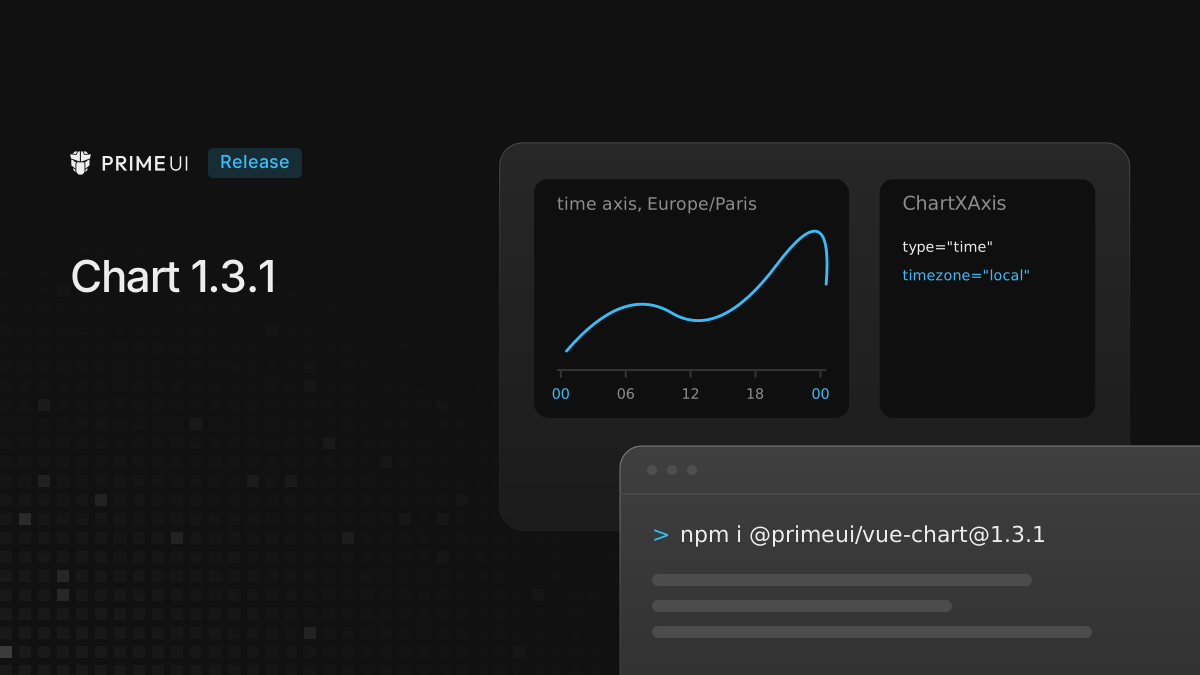
Chart 1.3.1 is out for Vue, React and Angular. Most of it is about time axes: ticks now fall in the axis time zone, a chart can follow the viewer’s own zone, and axis bounds hold while zooming. Some changes can move points or edges in an existing chart, and they are listed at the end.
npm install @primeui/[email protected]
npm install @primeui/[email protected]
npm install @primeui/[email protected]
Time zones on time axes
A time axis with timezone set formatted its labels in that zone, but placed
its ticks on UTC boundaries. The labels said one thing and the positions
another. Measured with @primeui/chart-core on a Europe/Paris axis from 6 to
10 September, the day ticks landed at:
| Version | Day ticks, in Paris time |
|---|---|
| 1.3.0 | 06/09 02:00, 07/09 02:00, 08/09 02:00, … |
| 1.3.1 | 07/09 00:00, 08/09 00:00, 09/09 00:00, … |
Steps longer than an hour now follow the local clock, so a six hour grid keeps its hours when daylight saving time ends. Across the night of 25 October in Paris:
| Version | Six hour ticks, in Paris time |
|---|---|
| 1.3.0 | 02:00, 07:00, 13:00, 19:00, 01:00, … |
| 1.3.1 | 00:00, 06:00, 12:00, 18:00, 00:00, … |
Steps of an hour or less still advance in absolute time, so the hour that
repeats is drawn twice: 01:00 CEST, 02:00 CEST, 02:00 CET, 03:00 CET.
Day labels, day grouping of the data and the navigator labels use the same zone,
and when two time axes share a chart, each labels the shared timeline in its own
zone.
timezone also accepts 'local', which uses the viewer’s browser zone:
<ChartSvg :height="400">
    <ChartLine :data="data" category-x-field="timestamp" value-y-field="temp" />
    <ChartXAxis type="time" timezone="local" />
    <ChartYAxis />
</ChartSvg><ChartSvg height={400}>
<ChartLine data={data} categoryXField="timestamp" valueYField="temp" />
<ChartXAxis type="time" timezone="local" />
<ChartYAxis />
</ChartSvg><p-chart-svg [height]="400">
<p-chart-line [data]="data" categoryXField="timestamp" valueYField="temp" />
<p-chart-x-axis type="time" timezone="local" />
<p-chart-y-axis />
</p-chart-svg>The zone is read once per page load, on the side that renders the chart. A chart
drawn during server rendering shows the server’s zone until it renders again in
the browser. Without timezone, a time axis stays on UTC.
An unknown zone name used to throw a RangeError out of the render. It now
falls back to UTC and logs a warning in development. String templates in
dateTimeFormats also pad minutes and seconds to two digits:
<ChartXAxis type="time" timezone="Europe/Paris" :date-time-formats="{ hour: 'HH:mm' }" />
<!-- 1.3.0: 06:0   1.3.1: 06:00 -->
Dates without a time zone
How a date string is read now depends on the axis, not on the device. Measured
with the same chart-core function both versions use, on a device set to
America/New_York:
| Value | 1.3.0, any axis | 1.3.1, no timezone | 1.3.1, Europe/Paris |
|---|---|---|---|
'2026-10-24T09:30' | 13:30 UTC | 09:30 UTC | 07:30 UTC |
'2026-10-24T09:30Z' | 09:30 UTC | 09:30 UTC | 09:30 UTC |
'2026-10-24T09:30+02:00' | 07:30 UTC | 07:30 UTC | 07:30 UTC |
'2026-09-08' | 8 Sep, 00:00 UTC | 8 Sep, 00:00 UTC | 7 Sep, 22:00 UTC |
In 1.3.0 the first row depended on the device: the same value landed at 13:30
UTC on a device in New York and at 09:30 UTC on a device set to UTC. In 1.3.1 a
string without a zone means a wall clock time in the axis zone, or UTC when the
axis has none. A date-only string lands on midnight in the axis zone. Strings
with Z or an offset, timestamps and Date objects are read as before.
Axis bounds and zoom
min and max now take a number, numeric text such as '50', and on a time
axis a Date or an ISO string:
<ChartXAxis type="time" :min="new Date('2026-10-24T06:00Z')" :max="new Date('2026-10-24T18:00Z')" />
<ChartYAxis :min="0" :max="100" /><ChartXAxis type="time" min={new Date('2026-10-24T06:00Z')} max={new Date('2026-10-24T18:00Z')} />
<ChartYAxis min={0} max={100} /><p-chart-x-axis type="time" [min]="dayStart" [max]="dayEnd" />
<p-chart-y-axis [min]="0" [max]="100" />Both bounds used to give way. A time axis ignored them and fitted the data, and a value axis followed them only until the x axis was zoomed:
| Setup | 1.3.0 domain | 1.3.1 domain |
|---|---|---|
Time axis, data 00:00 to 06:00, min 22:00, max 08:00 | 00:00 to 06:00 | 22:00 to 08:00 |
Value axis min 0 max 100, x axis zoomed | 34 to 39 | 0 to 100 |
| Log value axis, x axis zoomed, data up to 200000 | 1e-10 to 200000 | 0.005 to 500000 |
The logarithmic axis now ends at 500000, above the highest value, because a
zoomed axis keeps the same headroom as an unzoomed one. To end it at 200000, set
max: 200000 on the axis.
A bound is used exactly, with no padding on that side, and zoom, pan, reset and
the navigator stay inside it. softMin and softMax extend the axis when the
data does not reach them and never shrink it, and on a time axis they take the
same date values as min and max.
While the x axis is zoomed, the value axis is now fitted series by series. A sparse line drawn next to a dense one was fitted against the dense line’s timestamps, so its peak of 1000 fell outside a fitted range of 9 to 11. A logarithmic axis gets a logarithmic range on 1, 2 and 5 steps instead of a linear one, zooming a category axis refits the value axis to the categories in view, and a zoom gesture on the y axis starts from the fitted range.
With live data, a zoomed chart could go blank when new points moved past the zoom window, and reset could stay enabled after the chart was redrawn unzoomed. The window now stays on the data and keeps its width, and the reset state clears when the chart is drawn unzoomed.
Bars and candlesticks on a time axis
On a continuous time axis, the first and last bars or candles were cut in half at the edges. The axis now adds half of the smallest gap between points at each end, while lines still run flush to the edge. To keep the old flush edges:
<ChartXAxis type="time" :chart-padding-min="0" :chart-padding-max="0" />Series positioned with valueXField share the time scale, and a scatter series
on a time axis gets date labels. A date string used as an x value used to turn
into NaN, which made hovering throw. It is now read as a date.
Stacks
Stacked series paired their rows by position, so two series with different x
values or a missing row stacked points that belonged to different x values.
Stacks now match rows by x value, sum rows that share an x value, stack positive
and negative values separately for each x, and keep every ChartStacked group
apart, including scatter series.
Row index in shared tooltips
With mode="shared", a custom tooltip receives every series at the hovered
position in allSeries. Each entry now carries index, the position of its
point in that series’ own data, so the tooltip can read the full row even when
the series have gaps or different timestamps:
import { ChartTooltip, type TooltipRenderContext } from '@primeui/react-chart';

// rows holds each series' data, keyed by its datasetId
function renderTooltip(ctx: TooltipRenderContext) {
    if (!ctx.allSeries) return null;

    return (
        <ul>
            {ctx.allSeries.map((item) => {
                const row = item.index == null ? undefined : rows[item.datasetId][item.index];

                return (
                    <li key={item.datasetId}>
                        {item.datasetId}: {row?.value} {row?.note}
                    </li>
                );
            })}
        </ul>
    );
}

<ChartTooltip mode="shared" render={renderTooltip} />;
The Vue render returns the same structure built with h, and in Angular the
pChartTooltipDef template reads ctx.allSeries the same way.
With decimation or data grouping, index points into the reduced data.
Other fixes
In all three frameworks:
- Ticks finer than 0.01 keep their decimals, and a logarithmic axis reserves room for the decade labels it draws.
- A histogram
categoryGapof0makes the bins touch. It used to be treated like an unset gap, which keeps the 1px separator.
React only:
- The value axis reserves label space for the deepest zoom level, as it already did in Vue and Angular.
SyncBusis exported as a type. It was declared as a value, soimport { SyncBus }passed the type check and then failed in the bundler.
Angular only:
- A destroyed chart kept its
pChartAnnotationDefviews attached to the application, so they ran change detection for the rest of the page’s life. After eight re-creations, seven destroyed charts were still being checked, and a template that read a value from its destroyed chart could throwNG0100. Destroying a chart now releases the views. - The package no longer ships source maps, which cuts the download by more than half.
Upgrading
From 1.3.0 it is a version bump. These changes can move something in an existing chart:
- Zone-less date-time strings are read in the axis zone, or in UTC, instead of
the browser zone. A chart that passes strings such as
'2026-10-24T09:30'plots those points at a different instant than 1.3.0 did, for viewers outside UTC. AddZor an offset to the strings, or settimezoneon the axis to the zone the data is in. - A time axis that carries bars or candlesticks has half a band of padding at
each end. Set
chartPaddingMinandchartPaddingMaxto0on the axis to keep the edges flush. - A logarithmic value axis whose highest value falls exactly on a step now
extends to the next step. Set
maxfor a fixed end. - A side with
minormaxgets no padding. Withmin0,max100 and 10% padding, 1.3.0 drew -10 to 110, and 1.3.1 draws 0 to 100. - An inverted pair such as
min150 andmax50 is ignored, with a warning in development, and the axis fits the data. - The navigator spans the axis range, so data outside
minandmaxis no longer drawn in it. - In a shared tooltip on bars or candlesticks, the other series were looked up by the hovered series’ row instead of by x, so an entry could show the bar of another x value or be missing. Entries are now matched by x, so the list can differ from 1.3.0.
On the type side, softMin and softMax are typed number | Date | string
instead of number, so code that reads them back as numbers needs a check.
The time axis reference and live demos are on vue.primeuipro.dev, react.primeuipro.dev and angular.primeuipro.dev. The previous release is covered in Chart 1.3.0.