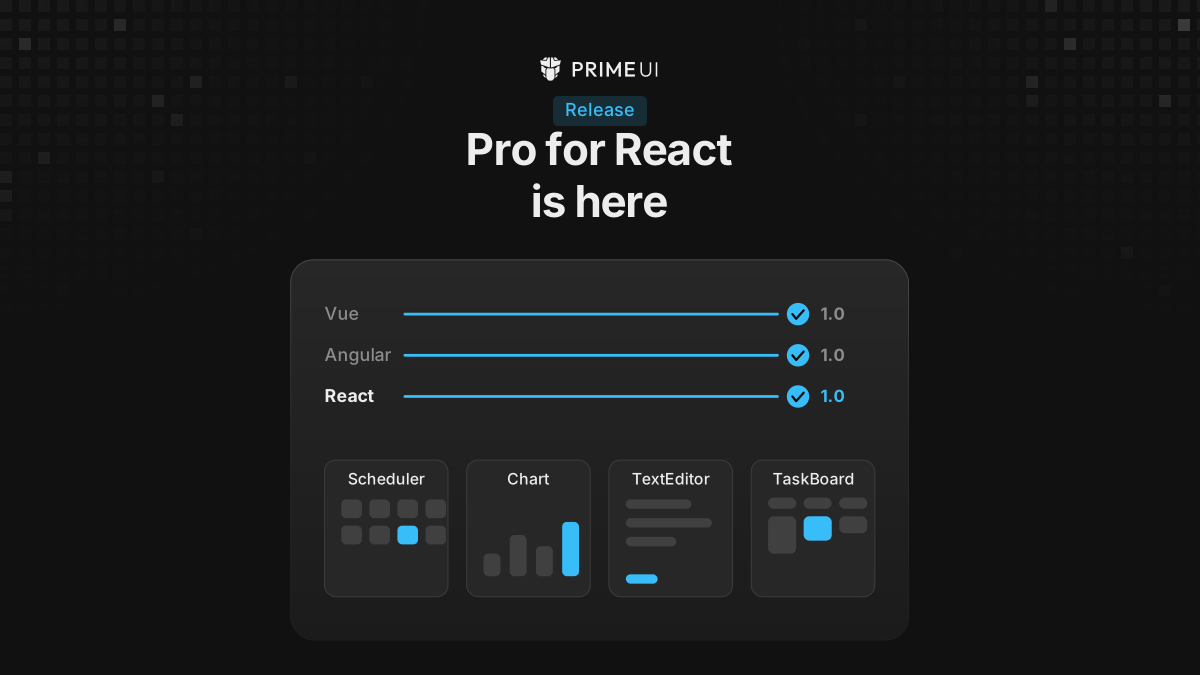
The four PrimeUI Pro components now have React packages: Scheduler, Chart,
TextEditor and TaskBoard, all at 1.0.0. That completes the set. Vue went
stable in July, Angular in August, React today.
npm install @primeui/react-scheduler
npm install @primeui/react-chart
npm install @primeui/react-texteditor
npm install @primeui/react-taskboard
The only peer dependencies are react and react-dom, version 19 or newer.
Nothing else, and that includes PrimeReact. A project that needs only Scheduler
installs one package.
What the packages contain
The runtime packages render structure and behaviour. They do not render controls: no button, no dropdown, no icon set. That is why the peer list is short, and it is also why a Scheduler drops into an app that already has a design system without bringing a second one along. PrimeReact, shadcn/ui, MUI, Chakra, Mantine, or nothing at all: the component does not have an opinion.
The parts that do have an opinion ship separately, as source copied into the project. More on that below.
Each package is its own React implementation rather than a wrapper around the Vue one. What the three frameworks share is the composition model, not the code.
How composition works
A component is a root with parts inside it, and any part can be replaced by
declaring a custom one. A declaration anywhere inside Scheduler.Content
replaces that piece everywhere it appears:
<Scheduler.Content>
    <Scheduler.TimeGridEvent>
        <MyEventCard />
    </Scheduler.TimeGridEvent>
</Scheduler.Content>
Nest the same declaration inside a view and it applies only there:
<Scheduler.Content>
    <Scheduler.Week>
        <Scheduler.TimeGridEvent>
            <MyWeekCard />
        </Scheduler.TimeGridEvent>
    </Scheduler.Week>
    <Scheduler.TimeGridEvent>
        <MyDefaultCard />
    </Scheduler.TimeGridEvent>
</Scheduler.Content>
Resolution runs narrow to wide. The week grid asks for the week-scoped card first, falls back to the unscoped one, and lands on the built-in if neither exists. So a design that needs one different chip in one view costs one nested declaration, not a conditional threaded through a render function.
A custom part reads its data from a hook rather than from props, which is what keeps the tree flat:
function MyEventCard() {
    const { event, isSelected } = useSchedulerEventContext();

    return <article data-selected={isSelected}>{event.title}</article>;
}
The surface is wide because every part is a component: 56 in Scheduler, 39 in Chart, 20 in TextEditor and 20 in TaskBoard. Most screens need a handful.
Scheduler
Week, day, month and year views, an agenda, a timeline, and resource views that group events by room, person or machine. All-day rows, a category legend and a context menu are their own parts.
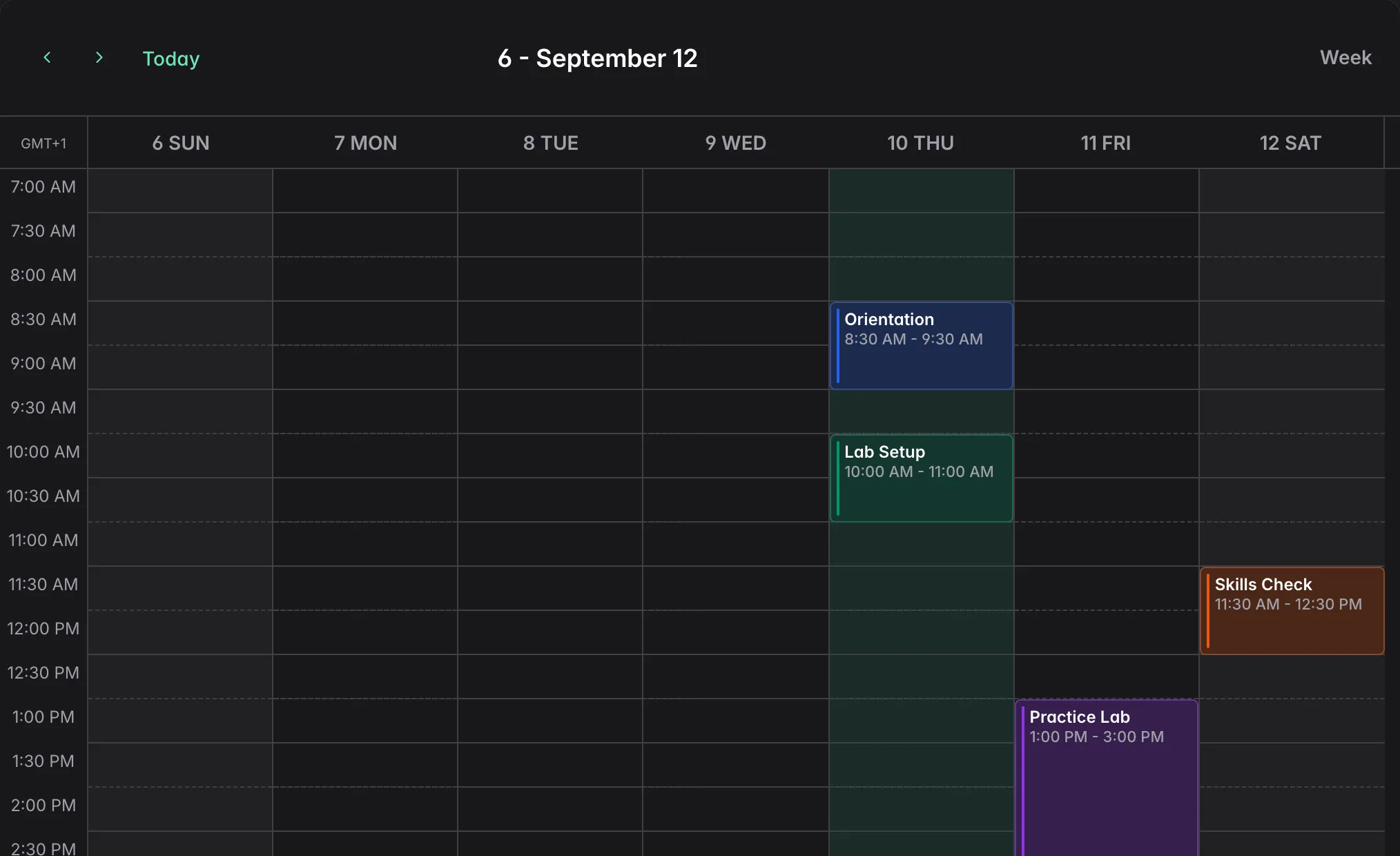
The header is assembled the same way, from parts that read the scheduler’s state rather than taking it as props:
<Scheduler.Root events={events} view={view} date={date} onViewChange={setView} onDateChange={setDate}>
    <Scheduler.Header>
        <Scheduler.Navigation />
        <Scheduler.ViewSelector />
    </Scheduler.Header>
    <Scheduler.Content />
</Scheduler.Root>
In Angular the parts are selectors, so the same tree is written as
<p-scheduler-root>. React gets a namespace instead, which keeps Root,
Header and Content from becoming three more identically-named imports in a
file that already has a Header of its own. Every part is a flat export too, so
import { SchedulerRoot } resolves to the same component.
Switching to the month grid or the agenda is a state change rather than a
different tree: Scheduler.Content carries every view and the view prop picks
one. The event chip is a separate part per view, so a month event and a timeline
event can look nothing alike without a conditional in the render path.
Chart
Two renderers with layers on top: bars, lines, candlesticks, each its own
component rather than a type string.
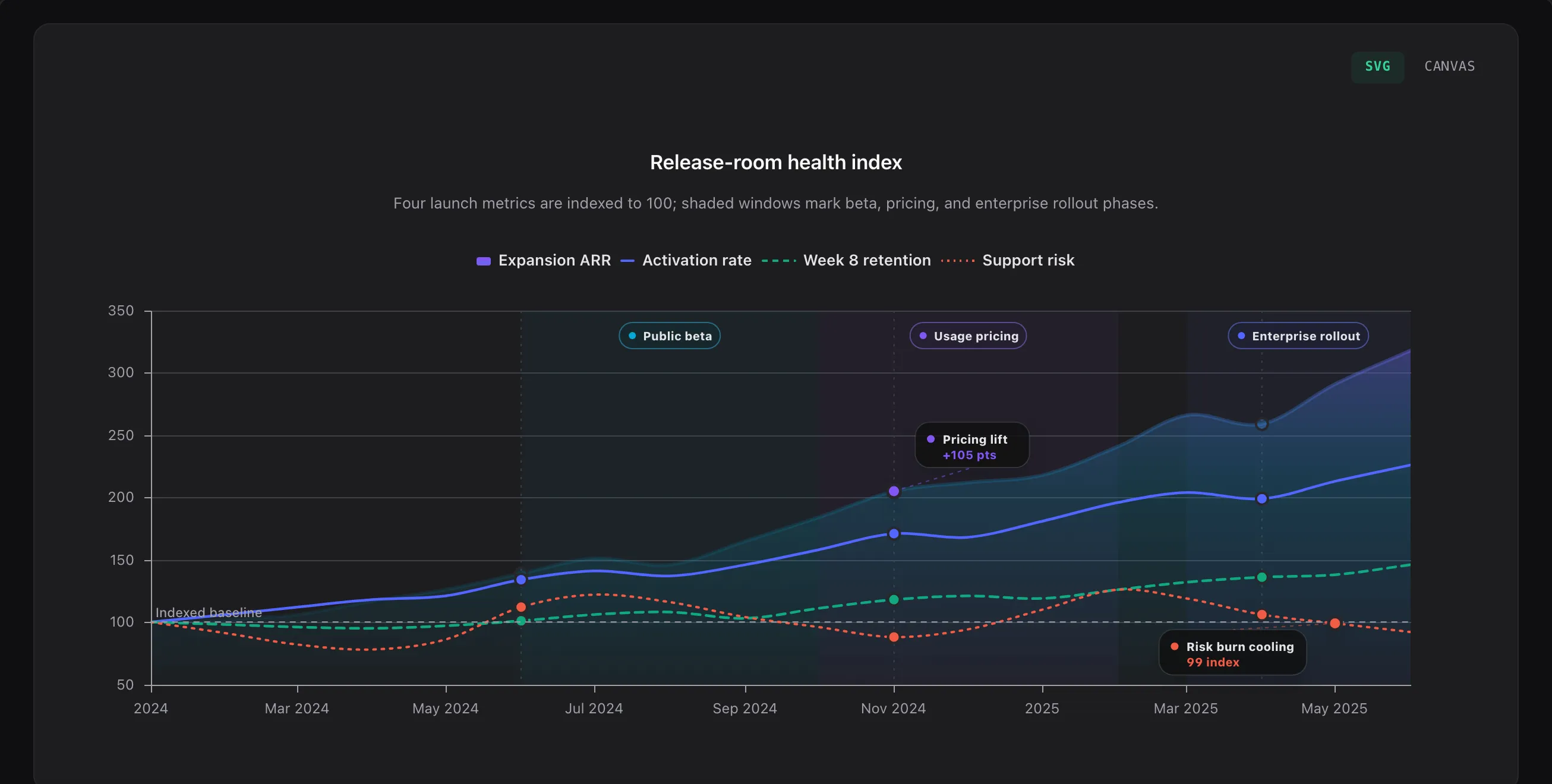
ChartSvg and ChartCanvas are the two renderers, and a combo chart is two
tags instead of a configuration mode:
<ChartCanvas>
    <ChartBar data={data} categoryXField="month" valueYField="booked" />
    <ChartLine data={data} categoryXField="month" valueYField="retained" />
    <ChartXAxis />
    <ChartYAxis />
    <ChartLegend />
    <ChartTooltip />
</ChartCanvas>
Swap the outer tag for ChartSvg and the contents are unchanged. SVG keeps text
crisp and elements selectable; canvas is the one to reach for when the point
count climbs.
Each chart type being its own component is what keeps a bar chart from carrying
the other eight. import { ChartBar } reaches the bar renderer and stops there,
so a page that only draws bars does not pull in the candlestick or treemap code.
The extras are opt-in and each has a component: ChartAnnotation,
ChartDataLabels, ChartExportMenu, ChartNavigator, ChartDecimation for
thinning a crowded series, and ChartAccessibility, which gives the chart a
text equivalent for screen readers.
TextEditor
A block editor: a toolbar, the content surface, and menus that appear at the cursor.
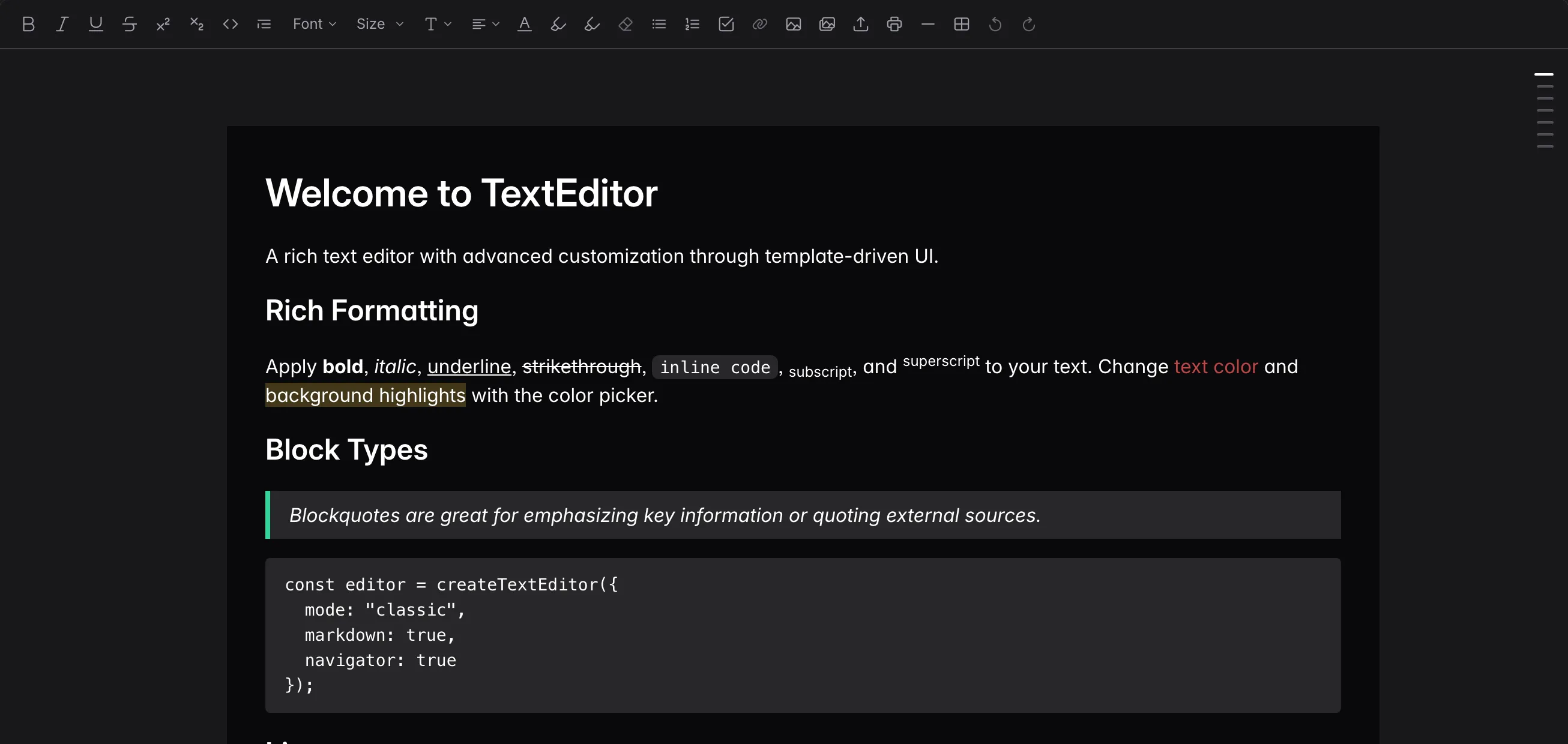
<TextEditor.Root value={value} onValueChange={setValue}>
    <TextEditor.Toolbar>
        <ToolbarBoldUI />
        <ToolbarItalicUI />
    </TextEditor.Toolbar>
    <TextEditor.Content />
</TextEditor.Root>Root, Toolbar and Content come from the package. The two buttons do not:
the editor ships the surface and the commands behind it, not the controls that
trigger them. Those come from the CLI, and the same split holds for every
component here.
The context toolbar follows a selection and gets an overflow menu when it runs
out of room. TextEditor.SlashMenu handles the slash command, with a mention
menu alongside, and tables bring their own column, row and cell menus. Uploads
have their own parts, each with a dropzone and a progress part.
TaskBoard
Columns and cards, each with header, content and footer parts, plus swimlanes for a second axis across the board.
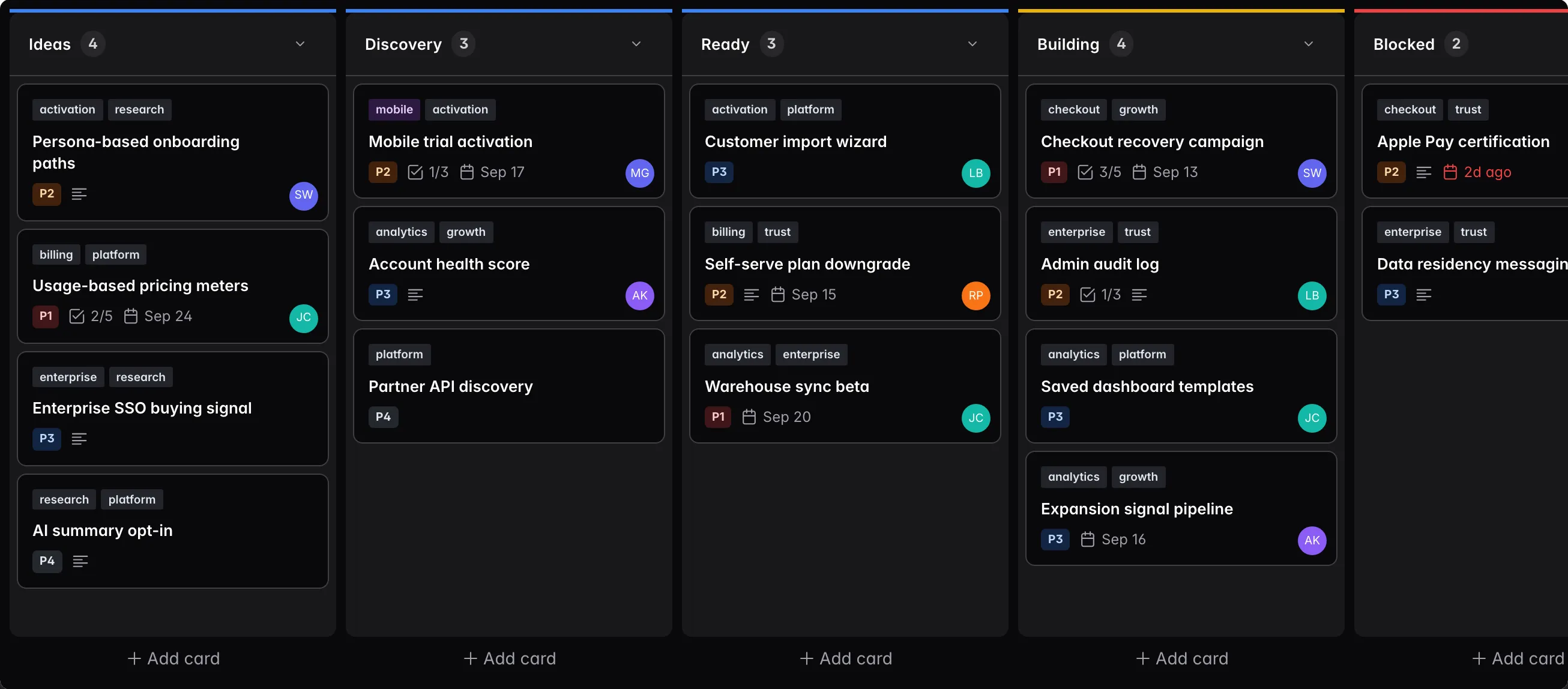
TaskBoard is where the React version reads least like the Angular one. Instead of a structural directive repeating a card per item, the content part takes a function child and passes each item to it:
<TaskBoard.Root tasks={tickets} columns={stages} columnField="stage" dataKey="ticketId" onTasksChange={setTickets}>
    <TaskBoard.Content>
        {stages.map((stage) => (
            <TaskBoard.Column key={stage.id} column={stage} value={stage.key}>
                <TaskBoard.ColumnHeader>{(context) => <TaskBoardColumnHeaderUI {...context} collapsible />}</TaskBoard.ColumnHeader>
                <TaskBoard.ColumnContent>
                    {({ item }) => (
                        <TaskBoard.Card column={stage} item={item}>
                            <TaskBoardCardUI item={item} />
                        </TaskBoard.Card>
                    )}
                </TaskBoard.ColumnContent>
            </TaskBoard.Column>
        ))}
    </TaskBoard.Content>
</TaskBoard.Root>
The render context passed to each function carries what a part needs to draw
itself: the item, the column, its count, whether it is collapsed. Both UI
components here are CLI-copied parts, replaceable with anything that takes the
same context.
The drag machinery is parts too: DragPreview for what follows the cursor,
DropIndicator for where it will land, and DragConfirm for boards where a
move has to be approved before it sticks. There is also a ColumnEmpty, for the
state most boards forget to design.
Ready-made parts, copied into the project
The packages ship no buttons, so someone has to write the toolbar, the event card, the column header. Those ship too, as source rather than as another dependency:
npx -y @primeui/cli add scheduler --framework react --ui primeone --output-dir ./src/components/primeuiThat copies the UI parts into the repository, in the shadcn/ui sense: they
become ordinary project files, to read, edit, delete or review like any other.
There is no vendor stylesheet to fight with !important.
Two flavours to pick between. --ui primeone builds the parts from PrimeReact
controls, which suits a project already running PrimeReact or one that wants a
finished look without choosing every control. --ui tailwind builds them from
native HTML and utility classes, with no PrimeReact anywhere:
npx -y @primeui/cli add scheduler --framework react --ui tailwind --output-dir ./src/components/primeuiScheduler, TextEditor and TaskBoard have parts. Chart does not, because it draws itself and has no controls to hand over.
The CLI remembers what it wrote, so it can report which copied files have since
been edited, update them without stepping on local changes, or remove them
cleanly. All of it runs under --dry-run first.
Locales, calendars and RTL
Formatting goes through Intl, so a locale is the only thing most applications
need to set. Calendar system and digits are separate props, because they vary
independently:
<Scheduler.Root locale="ar-EG" calendar="islamic" numberingSystem="arab" />calendar is a real calendar system rather than translated Gregorian labels:
month lengths and date arithmetic follow it. numberingSystem is its own prop
because a locale can want Gregorian dates with Arabic-Indic digits, or the
reverse.
Right-to-left is one prop on the root:
<Scheduler.Root locale="ar-EG" rtl />
<TaskBoard.Root rtl columns={columns} tasks={tasks} columnField="stage" dataKey="id" />
Everything that has a direction follows it: the time grid fills right to left, popovers and context menus open on the correct side, drag lands where the pointer is. Horizontal scrolling is the part that usually breaks in RTL because browsers historically disagreed on what a scroll offset means there, and the components normalise that rather than leaving it to the application.
Chart carries fourteen locale catalogues, imported one at a time:
import { registerLocale } from '@primeui/react-chart';
import { de } from '@primeui/react-chart/locales';

registerLocale('de', de);
English is written by hand. The other thirteen are machine-drafted, so give the catalogue a read before it goes to production.
Screen readers and keyboards
A calendar grid and a chart are the two shapes that go wrong most often here, so both get explicit treatment.
Scheduler exposes its time grid as a real grid to assistive technology while the visual layout stays a CSS grid with overlapping event chips on top. Arrow keys move between cells, and moving the view announces the new range. Every event chip is reachable without a pointer, which matters because dragging is not the only way to move an appointment.
Chart generates a text equivalent on its own rather than waiting to be asked. The figure carries a name, a description, and a data table of the values behind it, so a screen reader reads numbers instead of announcing “graphic”. Long series would otherwise turn into a thousand-row announcement, so the table has a row cap with a disclosure control:
<ChartSvg>
    <ChartBar data={data} categoryXField="month" valueYField="booked" />
    <ChartAccessibility description="Monthly bookings, January to August" dataTableMaxRows={20} />
</ChartSvg>
ChartAccessibility customises what is already generated, or switches it off
with enabled={false}.
All of this is implementation backed by tests. No formal accessibility audit has finished across the suite yet.
Server rendering
The parts carry 'use client', so importing one into a server component tree
works without a hand-marked boundary.
What arrives from the server depends on the component. An SVG chart renders with its marks in place, so the first paint is the chart rather than a spinner. Canvas cannot paint without a browser, so it renders its container on the server and draws on hydration. Scheduler and TaskBoard send their structure and pick up interactivity on the client. Anything measured against the real container size settles after hydration in every case.
Where this leaves the three frameworks
All four React packages are 1.0.0 today. Semver applies from here: the next
breaking change gets a major version. Vue shipped in July, with Scheduler and
Chart since moved to 1.1.0, and Angular shipped in August. Same components,
same parts, same composition model in all three, so a team running React in one
product and Vue in another is learning one model rather than three.
DataGrid, Spreadsheet, Diagram, Gantt Chart and PDF Viewer are next.
The reference and a running demo of every part mentioned here are on react.primeuipro.dev.