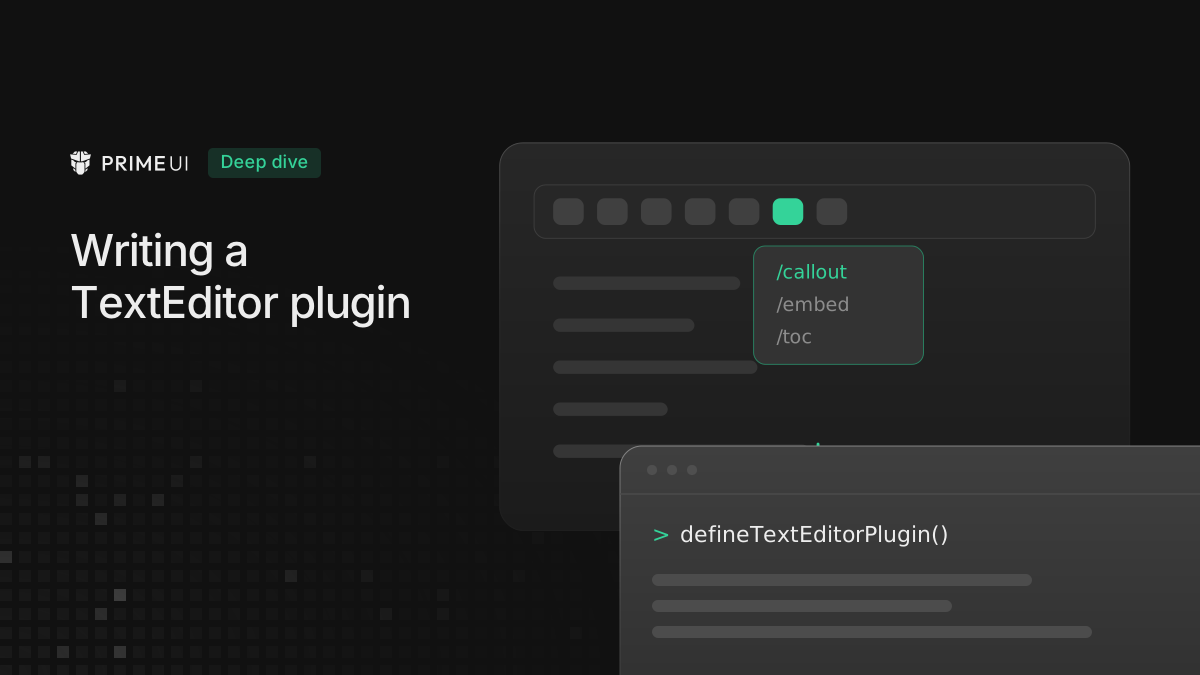
TextEditor ships with the usual things: bold, lists, tables, mentions. Sooner or later you need something that is not in the box, like a word counter for your CMS, an emoji shortcode, or a button that sends the selected paragraph to your own service. You add those through the plugin API, and this post goes through it from the smallest plugin that does anything up to one that adds its own node type.
The smallest possible plugin
A plugin is a name, plus a function that returns the commands you want to add.
import { defineTextEditorPlugin } from '@primeui/vue-texteditor';

export const uppercasePlugin = defineTextEditorPlugin('uppercase', ({ getSelectedText, replaceSelection }) => ({
    commands: {
        toUpperCase: () => {
            const text = getSelectedText();

            if (text) {
                replaceSelection(text.toUpperCase());
            }
        }
    }
}));
Pass it to the root:
<TextEditorRoot :plugins="[uppercasePlugin]">
    <TextEditorToolbar />
    <TextEditorContent />
</TextEditorRoot>
That is a working plugin. Commands are namespaced under the plugin name rather
than merged into the editor’s own command surface, so two plugins that both
define a command called insert do not collide. The toolbar slot hands you both
surfaces:
<TextEditorToolbar v-slot="{ commands, plugins }">
    <button @click="commands.bold()">Bold</button>
    <button @click="plugins.uppercase.toUpperCase()">UPPER</button>
</TextEditorToolbar>
commands is the built-in surface, and plugins is a map keyed by the name you
passed to defineTextEditorPlugin. The context toolbar exposes the same pair,
so a button works the same way in either place. Most plugins start at about this
size and grow from here.
What the context gives you
The function you pass gets a context object. These are the parts you will reach for most:
getSelectedText()                    // plain text of the current selection
replaceSelection(content, asHtml?)   // swap the selection for something else
getEditorElement()                   // the content DOM element, null before mount
getView()                            // the live ProseMirror EditorView, null before mount
getState()                           // the current EditorState, null before mount
registerProseMirrorPlugin(plugin)    // attach a PM plugin, returns a remover
runCommand(command)                  // run a ProseMirror command, returns a boolean
options                              // whatever config you were registered with
onUnmounted(fn)                      // cleanup when the editor goes away
The first two cover a surprising amount of ground. If your plugin transforms selected text (uppercase, translate, run it through an API), you never have to touch ProseMirror itself.
The three getters return null before the editor mounts, because your install
function runs while the view is still being built. Handle that case rather than
asserting it away. getEditorElement gives you the content DOM element, which
is what you need if you are positioning something against the content area, and
getView and getState are there for the times you need the ProseMirror
objects directly.
Taking options
Plugins can be configured. Declare the option type and read ctx.options:
import { defineTextEditorPlugin } from '@primeui/vue-texteditor';
import { InputRule, inputRules } from 'prosemirror-inputrules';

export interface EmojiOptions {
    map?: Record<string, string>;
}

const DEFAULT_MAP: Record<string, string> = {
    smile: '😄',
    fire: '🔥',
    rocket: '🚀',
    tada: '🎉'
};

export const emojiPlugin = defineTextEditorPlugin<EmojiOptions>('emoji', (ctx) => {
    const map = { ...DEFAULT_MAP, ...ctx.options?.map };

    const rule = new InputRule(/:([a-z0-9_+-]+):$/, (state, match, start, end) => {
        const shortcode = match[1];
        const emoji = shortcode ? map[shortcode] : undefined;

        return emoji ? state.tr.insertText(emoji, start, end) : null;
    });

    const remove = ctx.registerProseMirrorPlugin(inputRules({ rules: [rule] }));

    ctx.onUnmounted(remove);

    return {
        commands: {
            insert: (value: unknown) => {
                const key = String(value).replace(/:/g, '');

                ctx.replaceSelection(map[key] ?? String(value));
            }
        }
    };
});
The caller supplies those options by passing a [plugin, options] tuple instead
of the bare plugin:
<TextEditorRoot :plugins="[uppercasePlugin, [emojiPlugin, { map: { shipit: '🚢' } }]]">Now typing :fire: turns into 🔥, and :shipit: works too because the caller’s
map is merged over the default one.
There are two things in that example that carry over to almost every plugin you
write. registerProseMirrorPlugin is how you hook into the editor itself: input
rules, decorations, keymaps, anything ProseMirror can do. It returns a function
that removes the plugin again, and onUnmounted is where you call that remover.
If you skip it, the plugin goes on running after the editor is gone, so anything
you register should be unregistered in the same way.
Reacting to changes
Say you want a live character count. You need to know when the document changes,
and for that you need a ProseMirror plugin with a view hook:
import { defineTextEditorPlugin } from '@primeui/vue-texteditor';
import { Plugin, PluginKey, type EditorState } from 'prosemirror-state';

export interface CharacterCountOptions {
    limit?: number;
}

const key = new PluginKey('characterCount');

function countStats(state: EditorState, limit?: number) {
    const text = state.doc.textBetween(0, state.doc.content.size, '\n', ' ');
    const characters = text.length;
    const words = text.trim() ? text.trim().split(/\s+/).length : 0;

    return { characters, words, overLimit: limit != null && characters > limit };
}

export const characterCountPlugin = defineTextEditorPlugin<CharacterCountOptions>('characterCount', (ctx) => {
    const limit = ctx.options?.limit;
    const subscribers = new Set<(stats: ReturnType<typeof countStats>) => void>();

    const stats = () => {
        const state = ctx.getState();

        return state ? countStats(state, limit) : { characters: 0, words: 0, overLimit: false };
    };

    const remove = ctx.registerProseMirrorPlugin(
        new Plugin({
            key,
            view: () => ({
                update: (view, prev) => {
                    if (view.state.doc !== prev.doc) {
                        const s = countStats(view.state, limit);

                        subscribers.forEach((cb) => cb(s));
                    }
                }
            })
        })
    );

    ctx.onUnmounted(() => {
        remove();
        subscribers.clear();
    });

    return {
        commands: {
            getStats: () => stats(),
            characters: () => stats().characters,
            isOverLimit: () => stats().overLimit,
            onChange: (cb: unknown) => {
                const notify = cb as (stats: ReturnType<typeof countStats>) => void;

                subscribers.add(notify);
                notify(stats());

                return () => subscribers.delete(notify);
            }
        }
    };
});
The view.state.doc !== prev.doc check matters. The update hook runs on
selection changes as well as document changes, so without that check a character
counter recounts the whole document every time the caret moves.
The subscription pattern in onChange is the other thing to take from this
example. Commands can return values, and they can also return an unsubscribe
function, so your UI can subscribe once, get a callback on every document
change, and drop the subscription when the component using it goes away, without
polling the editor for a count it does not have yet.
Adding nodes and marks
If your plugin introduces new content (a callout box, a footnote, an embed), it
has to extend the schema, and you do that through the third argument to
defineTextEditorPlugin:
export const calloutPlugin = defineTextEditorPlugin(
    'callout',
    (ctx) => ({
        commands: {
            insertCallout: () => {
                /* ... */
            }
        }
    }),
    {
        schema: {
            nodes: {
                callout: {
                    content: 'block+',
                    group: 'block',
                    attrs: { tone: { default: 'info' } },
                    parseDOM: [{ tag: 'div[data-callout]' }],
                    toDOM: (node) => ['div', { 'data-callout': node.attrs.tone }, 0]
                }
            }
        }
    }
);
The schema is assembled per editor instance, so a document containing callouts only parses correctly in an editor that has the plugin loaded. Keep that in mind if you store the HTML and render it somewhere else, because a second editor without the plugin will not know what a callout node is.
Extensions are merged over the base nodes and marks in order, so two plugins
that both define callout will silently clobber each other. The editor writes a
console warning when a name is overridden, and that warning is one to read
rather than filter out. Overriding a built-in through extendNodeSpec is a
legitimate thing to do and produces the same warning, so the message only tells
you a name was taken twice, and you are the one who knows whether that was
deliberate.
There is also prosemirrorPlugins, which runs against the assembled schema and
feeds plugins into the initial editor state rather than attaching them after
mount. Use it for anything that has to be present from the first render.
Collaboration through Yjs is the main case.
Which part to reach for
The place to start is getSelectedText and replaceSelection, because most
text transformations need nothing else and if yours is one of them you can stop
there.
registerProseMirrorPlugin is the next step up, for when you need to observe or
intercept what the editor is doing: input rules, decorations, key handling.
Whatever you register there, remove it in onUnmounted.
The schema is the last resort, and you only need it when you are introducing content that has to survive a round trip through HTML.